4-11
VB Administration Tools
Reconnecting
Reconnections are made when a connection with the VB-C50i/VB-C50iR has been cut.
○○○○○○
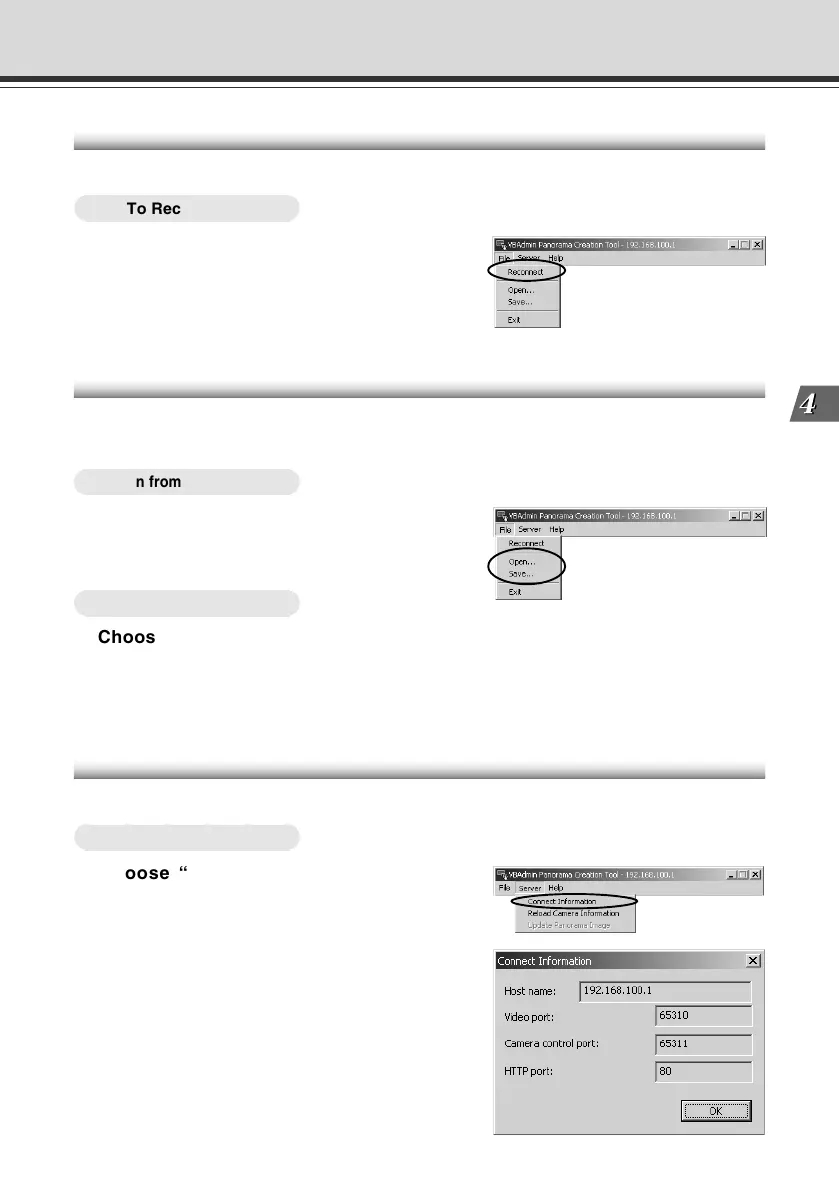
To Reconnect...
1. Choose “Reconnect” from the “File” menu
bar.
Opening a Panorama Picture from a Picture File/Saving a Panorama Picture as a Picture File
You can open a picture file as a panorama image as well as save a panorama picture you have
taken as a picture file. In both cases, only JPEG compressed images are supported.
○○○○○○
To Open from a Picture File...
1. Choose “Open” from the “File” menu bar.
When the dialog box appears, select the
picture file you want to use.
○○○○○○
To Save...
1. Choose “Save” from the “File” menu bar.
When the dialog box appears, select the
folder where the file is to be saved and enter
the file name.
Displaying Connection Information
Connection information during connection with the VB-C50i/VB-C50iR can be displayed.
○○○○○○
To Display...
1. Choose “Connect Information” from the
“Server” menu bar.
Panorama Creation Tool
A dialog box showing the connection information
appears.
The IP address that was set in the VB-C50i/VB-C50iR
is displayed in “Host name” (→ P.3-6). The values
displayed for the video port number, camera control
port number and HTTP port number are those set in
“Setting Up the HTTP, Camera and Audio Servers”
(→ P.3-17, 3-18).
004-VBC50i-E-US 06.7.6, 11:35 AM11



 To Next Page