Creating Web Pages
5-23
Using the Viewer for PC to Distribute Videos
Include the tags that link to the wvh file in the text or images in the Web page.
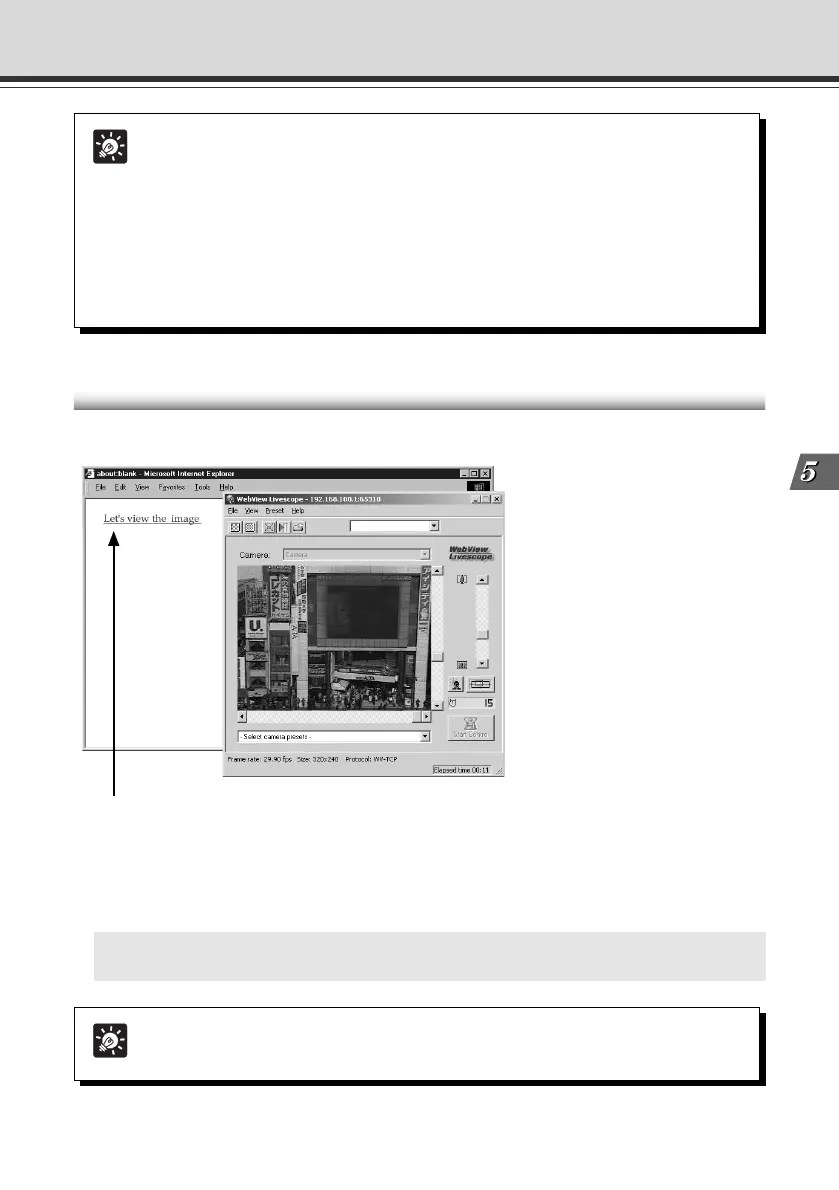
1 <A HREF="WebView.wvh">Let's view the image</A>
1 Click the link to launch the Viewer.
Example of a Web page Using the Viewer for PC
This section describes a sample Web page in which the Viewer for PC is used.
Tip
To use the sample page template in the VB-C50i/VB-C50iR to supply videos, specify
<A HREF=http://IPaddress/top/default.wvh>.
Tip
Viewer for PC supports WebView Livescope protocol and HTTP protocol.
● WebView Livescope protocol:
Cannot be viewed through firewalls. This protocol is primarily for clients who are
connected directly to the Internet.
● HTTP protocol:
In general, this protocol is used with Web browsers. By using this protocol, clients
inside firewalls can view video by penetrating fire walls. The Viewer for Java also
uses this protocol.
005-VBC50i-E-US 06.7.6, 11:36 AM23



 To Next Page