3-19
Basic Settings
Audio Server 1-5, 8 are only displayed with two particular models (→ P.iii).
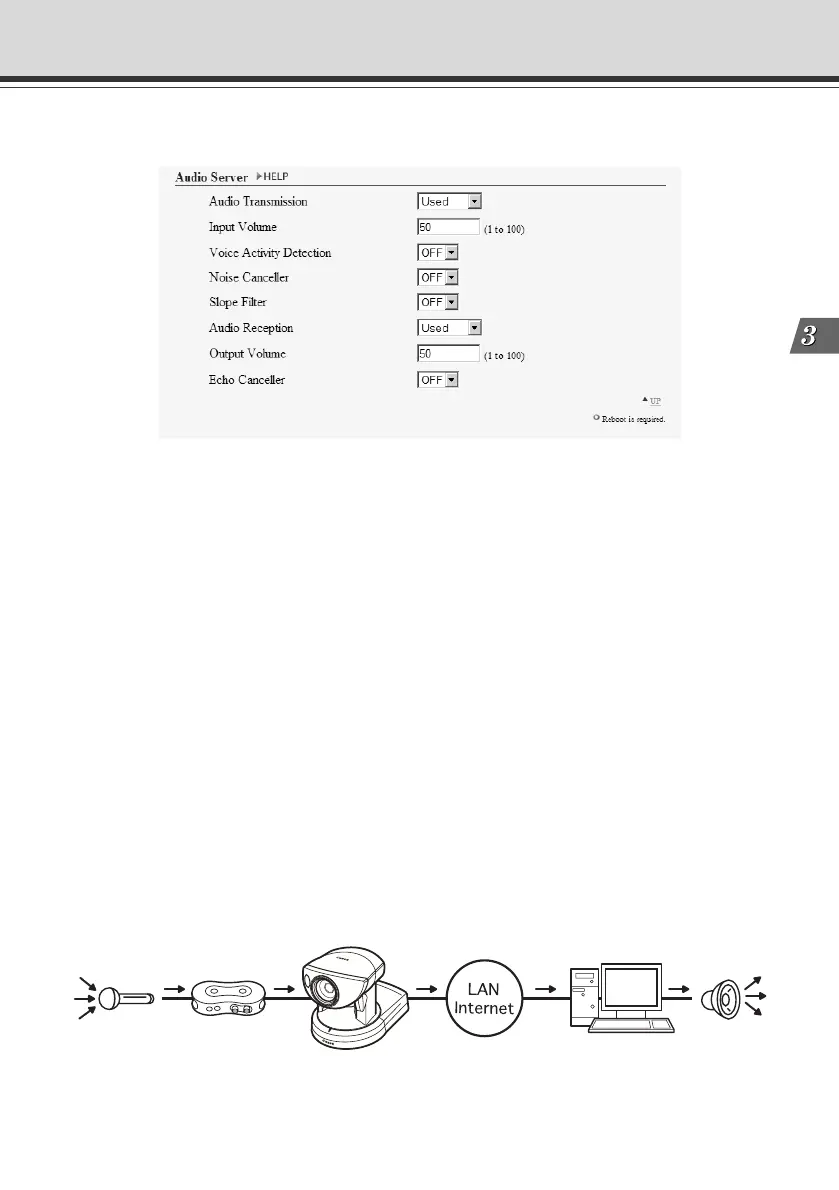
1 “Audio Transmission”
Set “Audio Transmission” to “Used” to send audio to the Viewer for PC or Admin Viewer, that
is input into the microphone connected to the Multi-Terminal Module (→ P.1-12).
2 “Input Volume”
Set the volume of the input audio in a range from 1-100. The larger the numeric value, the
louder the audio will be.
3 “Voice Activity Detection”
Set “Voice Activity Detection” to “ON” to pause the transmission of audio data when the server
does not detect any valid audio data from the microphone. Doing this reduces the network
bandwidth that you are using.
4 “Noise Canceller”
Set “Noise Canceller” to “ON” to cancel noise in the audio.
5 “Slope Filter”
Set “Slope Filter” to “ON” to cancel any low pitch noise such as outdoor wind sound.
Setting Up the HTTP, Camera and Audio Servers (Server)
1
2
3
4
5
6
7
8
Audio Transmission
• Input Volume
• Voice Activity Detection
• Noise Canceller
• Slope Filter
003-VBC50i-E-US 06.7.6, 11:34 AM19



 To Next Page