4-22
Retrieving Values from the Camera Angle of the Admin Viewer and
Changing Settings
Start up Admin Viewer and set the camera angle as a preset.
○○○○○○
To Make Settings...
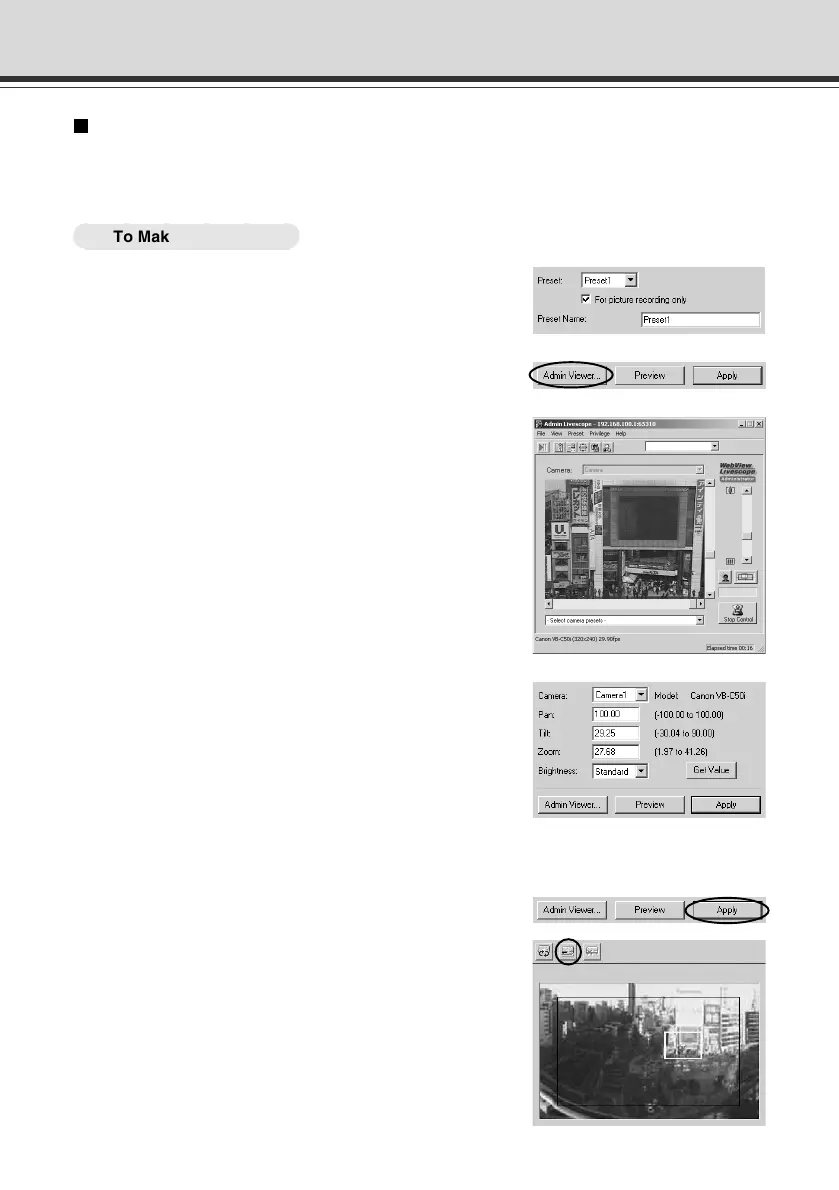
1. From the Preset Selection box, select the
preset to be set, and enter the “Preset Name”.
Preset Setting Tool
2.
Click the “Admin Viewer” button to start it up.
3. Click the “Start Control” button in the Admin
Viewer to obtain camera control rights for the
camera.
4. Move the camera angle to the position you
want to set preset camera angle, then click
the “Get Value” button.
The values retrieved using the Get Value button can
be checked in the Preset settings input boxes, or with
the Preset Preview frame.
At this point, you can also enter and set values in the
camera parameters.
5. Click the “Apply” button.
Check the Status List to be sure the values were
applied correctly. Then when the Save Settings button
is clicked, the values will be saved to the VB-C50i/
VB-C50iR.
004-VBC50i-E-US 06.7.6, 11:35 AM22



 To Next Page