Notes on Operating Environment
21
1
Before Use
Enabling the Sound Function to Use Audio
In Windows Server 2008/Windows Server 2012, the sound
function is disabled by default.
To receive audio with the Viewer, follow the steps below to
enable the sound function.
Note
If [Control Panel] is in the classic view, double-click [Sound].
Important
Note that when IE Enhanced Security Configuration is turned
back on, the [Do not save encrypted pages to disk] checkbox
also becomes enabled.
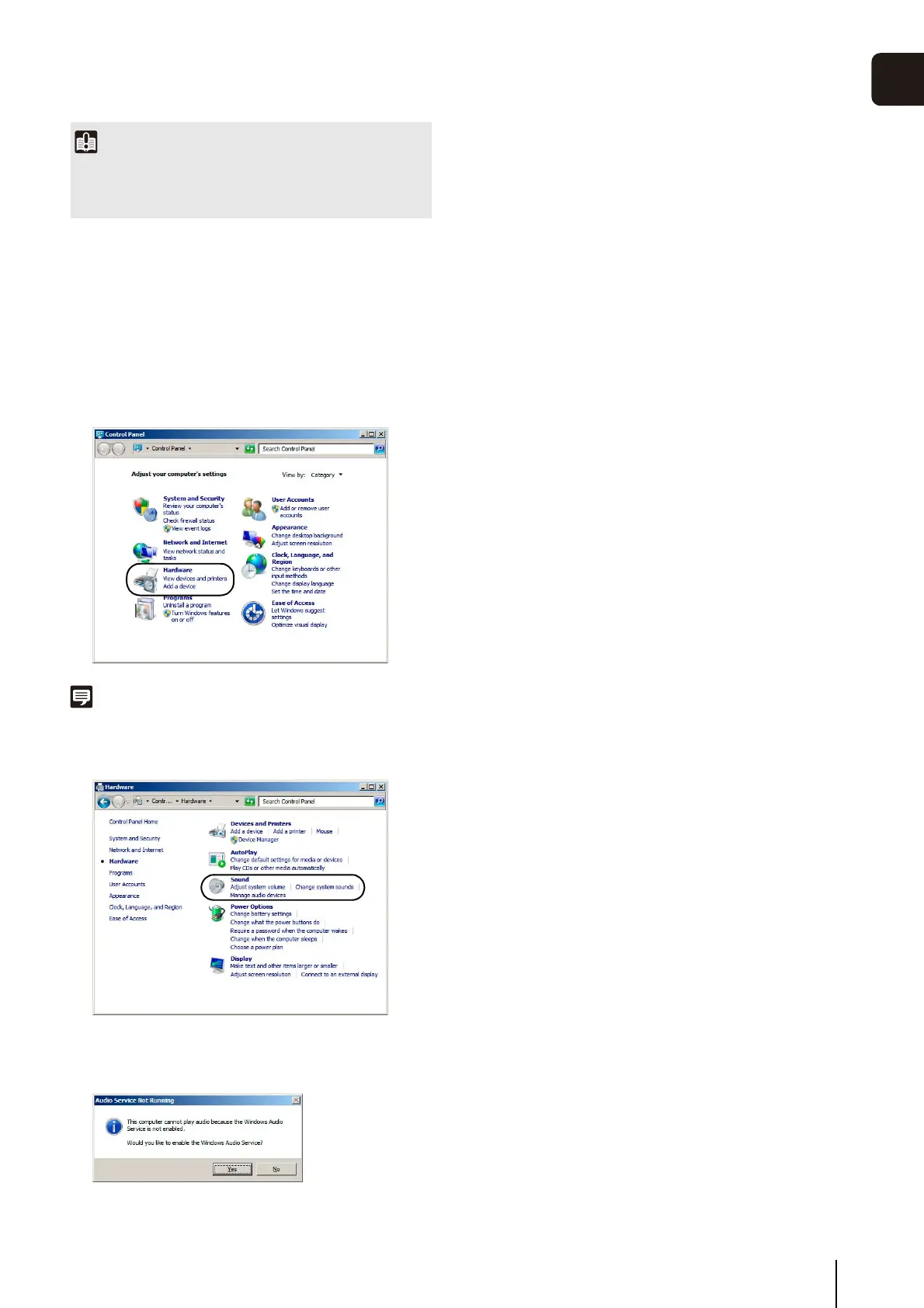
1
Open [Control Panel] and click [Hardware].
2
Click [Sound].
3
When the [Audio Service Not Running] message
appears, click [Yes].
4
The [Sound] dialog box appears.
Click the [Playback] tab to confirm that an audio device
has been installed. (If no audio device is installed, refer
to your computer manual.)



 To Next Page