78
For details on log messages, see “List of Log
Messages” (p. 156).
(2) [Notification Level]
Select [Error], [Errors and warnings], or [All] for the
log message notification level.
For details on log messages, see “Log Messages on
the Camera” (p. 156).
(3) [Copy E-mail Settings]
Copy the mail settings used in [Upload] > [E-mail
Notification] (p. 57).
(4) [Mail Server Name]
Enter the host name or IP address of the SMTP server
(using up to 63 characters).
(5) [Mail Server Port]
Enter the port number of the SMTP server (factory
default setting is [25]).
(6) [Sender (From)]
Set the e-mail address of the sender (using up to 63
characters).
(7) [Recipient (To)]
Set the e-mail address of the recipient (using up to 63
characters).
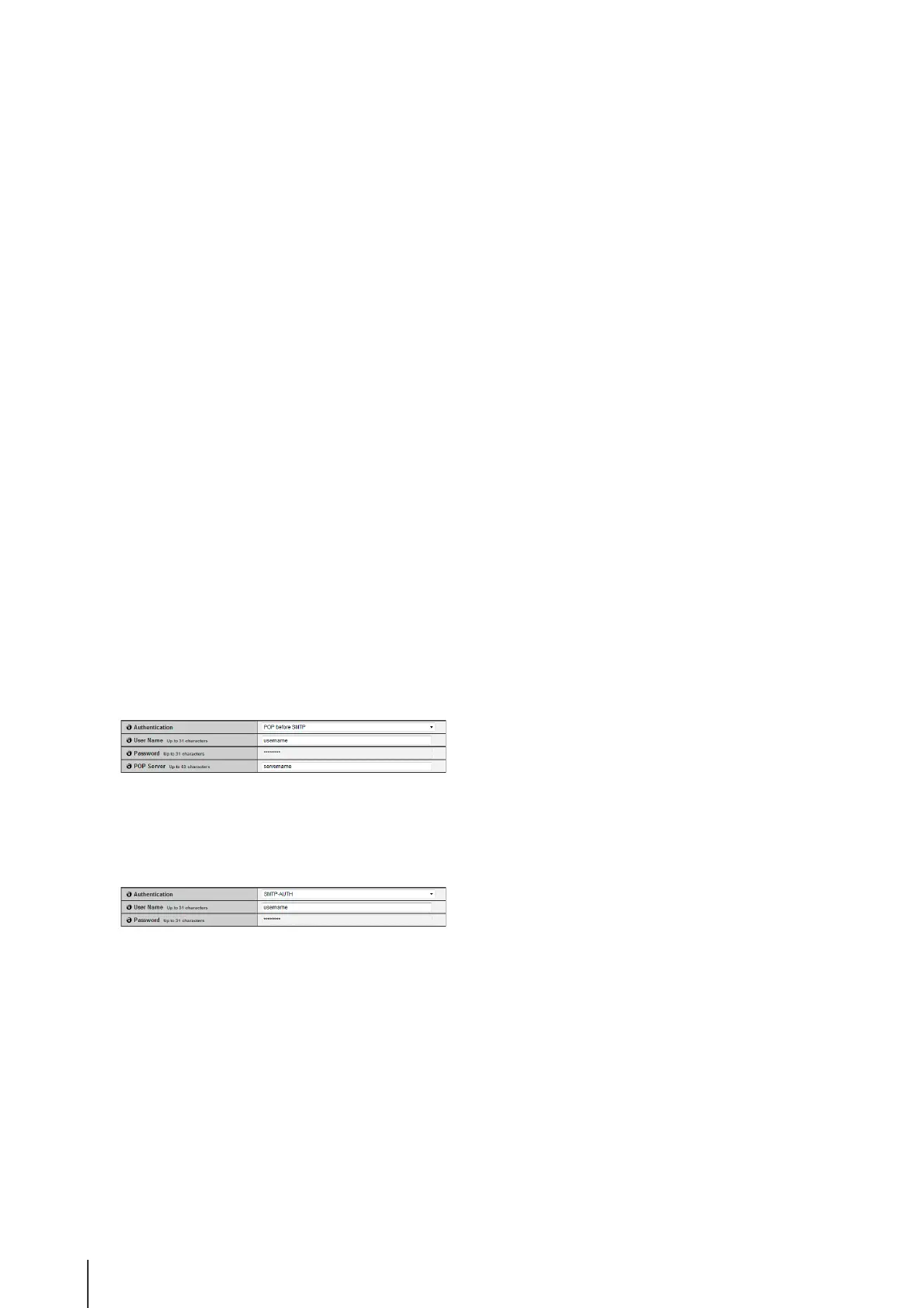
(8) [Authentication]
Select [None], [POP before SMTP] or [SMTP-AUTH]
for the e-mail authentication method.
Set an appropriate method according to the
authentication method used by the SMTP server to
send to.
[User Name], [Password], [POP Server]
If [POP before SMTP] is selected as the e-mail
authentication mode, enter the user name and
password as well as the host name or IP address of
the POP server required for authentication.
[User Name], [Password]
If [SMTP-AUTH] is selected as the e-mail
authentication method, enter the user name and
password required for authentication.
(9) [Subject]
Enter the subject of the e-mail to be sent using up to
31 ASCII characters.
(10)[Log Notification Test]
Clicking [Exec] initiates a log notification test based
on the settings currently entered. It is not necessary to
click [Apply].
After entering a password, first click [Exec], then
[Apply] the password.



 To Next Page