EasyManua.ls Logo

Canon VM-E70 - CONDENSATION (DEW); Understanding Condensation; When Condensation is Likely; Handling Condensation

Canon VM-E70
52 pages
Print Icon
To Next Page IconTo Next Page
To Previous Page IconTo Previous Page
Loading...
CONDENSATION
(DEW)
WHAT
IS
CONDENSATION?
When
bringing
a
metal
object
from
a
cold
place
into
a
warm
place,
tiny
droplets
of
water
can
form
on
its
surface.
This
moisture
is
referred
to
as
condensation
or
dew.
If
the
camera
is
used
when
dew
is
present,
both
tape
and
unit
may
be
damaged.
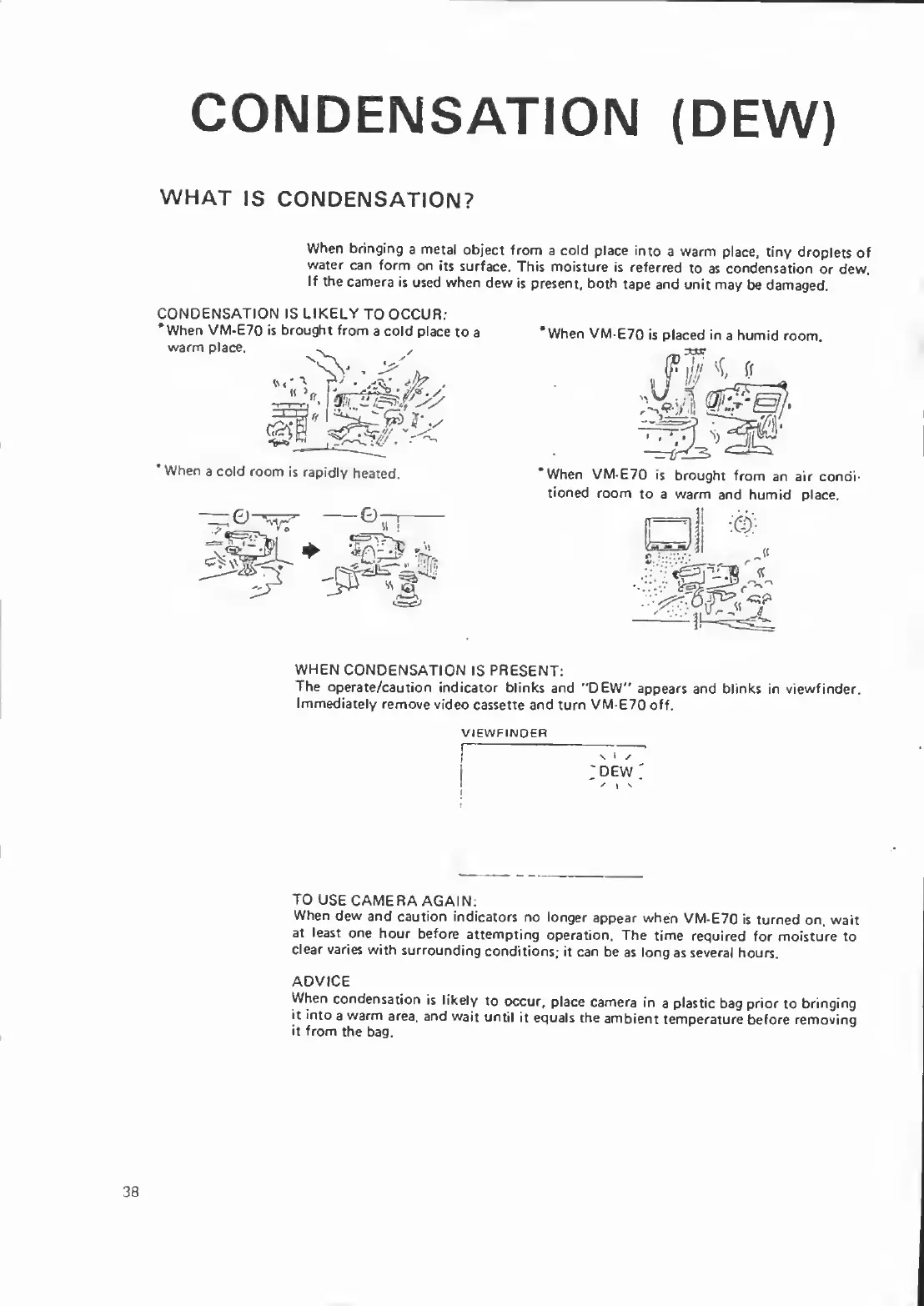
CONDENSATION
IS
LIKELY
TO
OCCUR:
*When
VM-E70
is
brought
from
a
cold
place
to
a
warm
place.
*
When
a
cold
room
is
rapidly
heated.
*When
VM-E70
is
placed
in
a
humid
room.
*When
VM-E70
is
brought
from
an
air
condi¬
tioned
room
to
a
warm
and
humid
place.
WHEN
CONDENSATION
IS
PRESENT:
The
operate/caution
indicator
blinks
and
"DEW”
appears
and
blinks
in
viewfinder.
Immediately
remove
video
cassette
and
turn
VM-E70
off.
\
i
DEW
VIEWFINDER
TO
USE
CAMERA
AGAIN:
When
dew
and
caution
indicators
no
longer
appear
when
VM-E70
is
turned
on,
wait
at
least
one
hour
before
attempting
operation.
The
time
required
for
moisture
to
clear
varies
with
surrounding
conditions;
it
can
be
as
long
as
several
hours.
ADVICE
When
condensation
is
likely
to
occur,
place
camera
in
a
plastic
bag
prior
to
bringing
it
into
a
warm
area,
and
wait
until
it
equals
the
ambient
temperature
before
removing
it
from
the
bag.
38

Related product manuals