EasyManua.ls Logo

Canon VM-E70 - WHITE BALANCE; White Balance Adjustment; White Balance Lock; When to Use White Balance Lock

Canon VM-E70
52 pages
Print Icon
To Next Page IconTo Next Page
To Previous Page IconTo Previous Page
Loading...
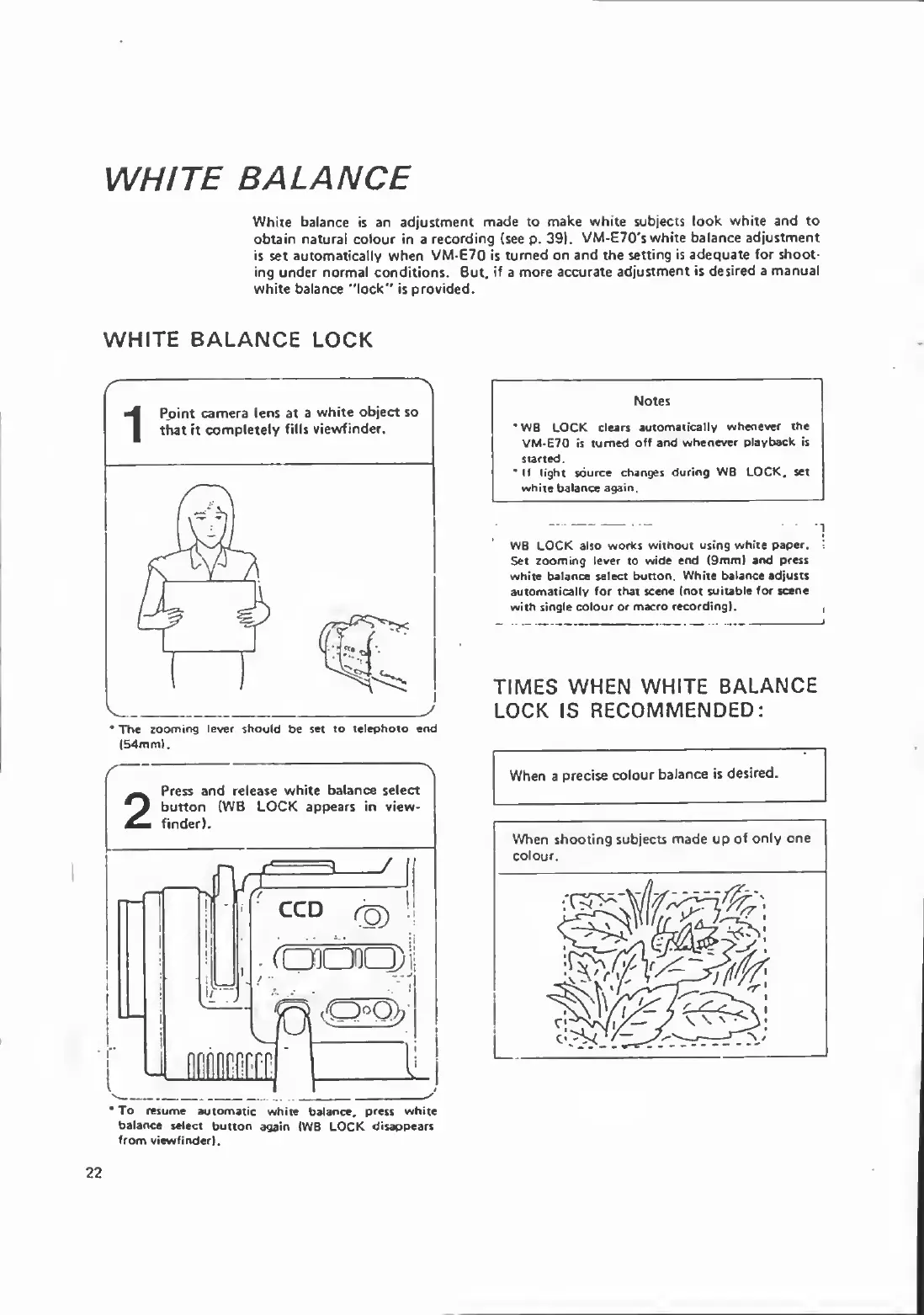
WHITE
BALANCE
White
balance
is
an
adjustment
made
to
make
white
subjects
look
white
and
to
obtain
natural
colour
in
a
recording
(see
p.
39).
VM-E70's
white
balance
adjustment
is
set
automatically
when
VM-E70
is
turned
on
and
the
setting
is
adequate
for
shoot¬
ing
under
normal
conditions.
But,
if
a
more
accurate
adjustment
is
desired
a
manual
white
balance
“lock"
is
provided.
WHITE
BALANCE
LOCK
*
The
zooming
lever
should
be
set
to
telephoto
end
(54mm).
Notes
*
WB
LOCK
clears
automatically
whenever
the
VM-E70
is
turned
off
and
whenever
playback
is
started.
If
light
source
changes
during
WB
LOCK,
set
white
balance
again.
W8
LOCK
also
works
without
using
white
paper.
Set
zooming
lever
to
wide
end
(9mm)
and
press
white
balance
select
button.
White
balance
adjusts
automatically
for
that
scene
(not
suitable
for
scene
with
single
colour
or
macro
recording).
TIMES
WHEN
WHITE
BALANCE
LOCK
IS
RECOMMENDED:
When
a
precise
colour
balance
is
desired.
22
To
resume
automatic
white
balance,
press
white
balance
select
button
again
(WB
LOCK
disappears
from
viewfinder).

Related product manuals