18
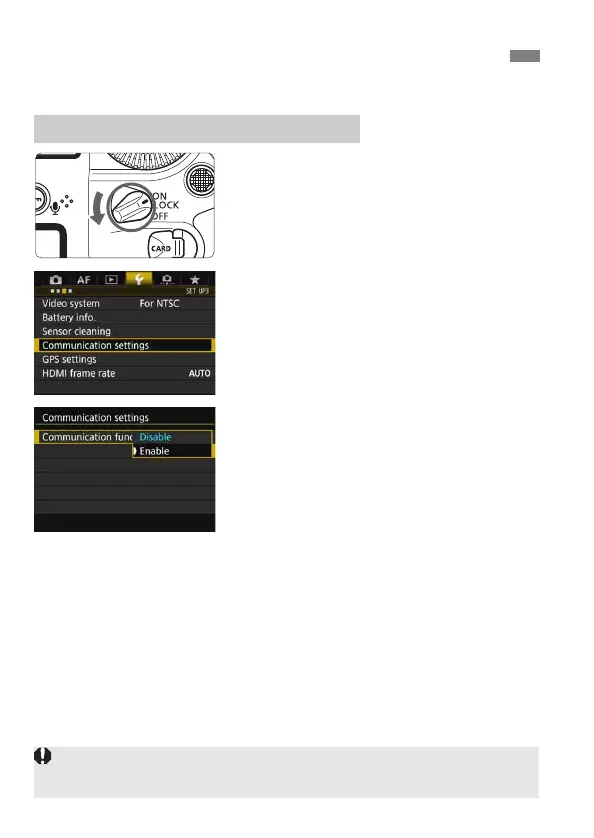
First, configure basic communication function settings.
1
Turn the camera on.
2
Select [Communication settings].
On the camera, press the <M>
button.
Under the [53] tab, select
[Communication settings], then
press <0>.
3
Select [Enable] in
[Communication func].
[Network settings] is now available.
Basic Communication Function Settings
Setting the Communication Function
If [z1: Multiple exposure] is set to any setting other than [Disable], [53:
Communication settings] cannot be selected.



 To Next Page