65
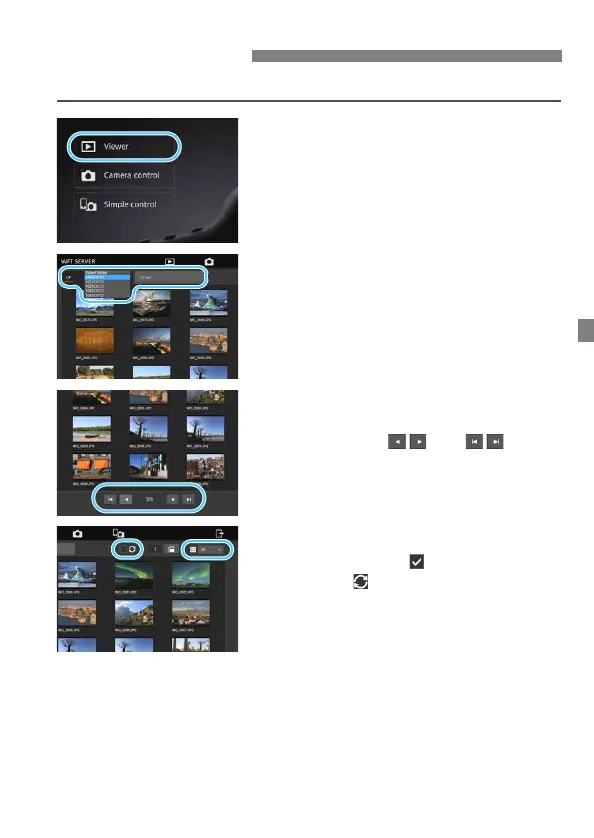
You can browse images on the camera’s card as follows.
1
Press [3 Viewer].
The image viewing screen is
displayed.
2
Select the card and folder.
Press the [CF] or [CFast] tab to select
a card.
Press the folder name on the right of
the selected tab to select a folder
from the pull-down list.
3
Select an image.
To view other images, change the
screen with [ ] or [ ] at the
bottom of the screen.
You can specify how many
thumbnails are shown per screen
from the pull-down list on the upper
right of the screen.
When you add [ ] to the checkbox
beside [ ], the screen will be
refreshed periodically.
For movies, [D] or [C] is
displayed beside the file names.
Viewing Images



 To Next Page