84
Link the master camera to slave cameras for basic linked shooting.
When the Live View shooting/Movie shooting switch is set to
<k>, linked shooting is not possible. Set it to <A>.
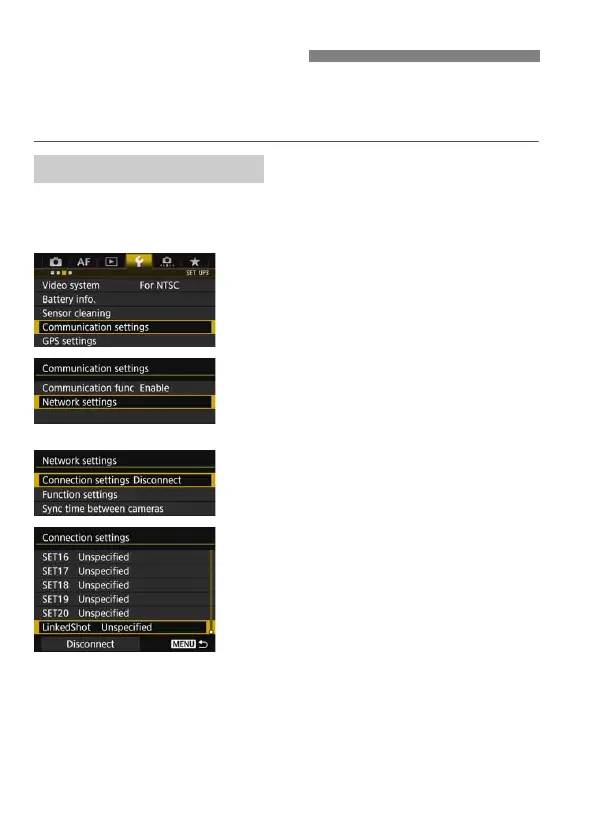
First, set up slave cameras by operating the cameras to use as slaves.
When using multiple slave cameras, operate all slave cameras in the
same way.
1
Select [Communication settings].
Under the [53] tab, select
[Communication settings], then
press <0>.
2
Select [Network settings].
Set [Communication func] to
[Enable], then select [Network
settings].
3
Select [Connection settings].
4
Select [LinkedShot].
Turn the <5> dial to select
[LinkedShot] at the bottom.
Basic Linked Shooting
Preparing Slave Cameras



 To Next Page