38
These instructions are continued from Chapter 1.
1
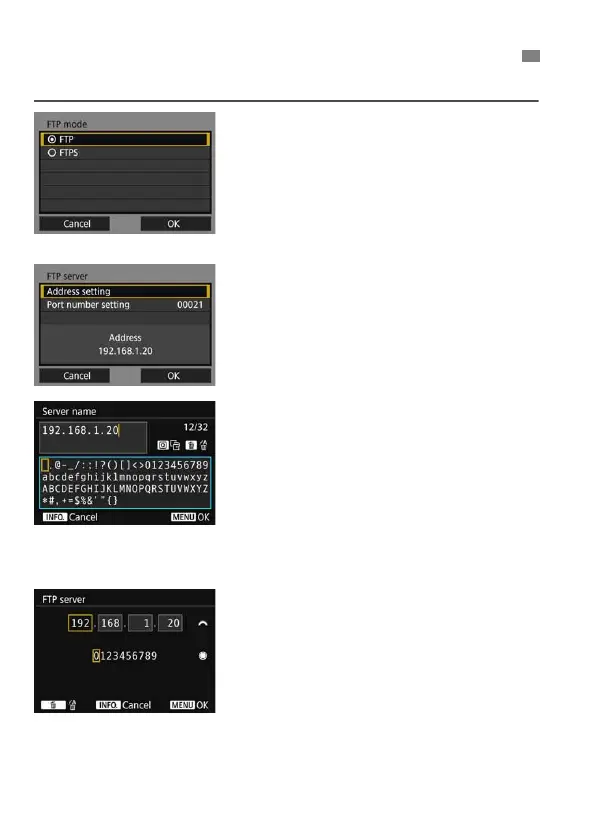
Select an FTP mode.
To establish security for FTP transfer
using a root certificate, select [FTPS].
For root certificate settings, see page
41.
Select [OK] and press <0> to go to
the next screen.
2
Select [Address setting].
The virtual keyboard is displayed.
3
Enter the FTP server’s server
name or IP address.
If you have set the IP address setting
to [Auto setting] or the DNS address
setting to [Manual setting], the
screen on the left is displayed.
For instructions on screen operations,
see “Virtual Keyboard Operation”
(p.21).
If you have set the DNS address
setting to [Disable], the screen on the
left is displayed.
Turn the <6> dial to move the input
position in the upper area and turn
the <5> dial to select the number.
Press <0> to enter the selected
number.
Configuring FTP Server Connection Settings



 To Next Page