39
Configuring FTP Server Connection Settings
4
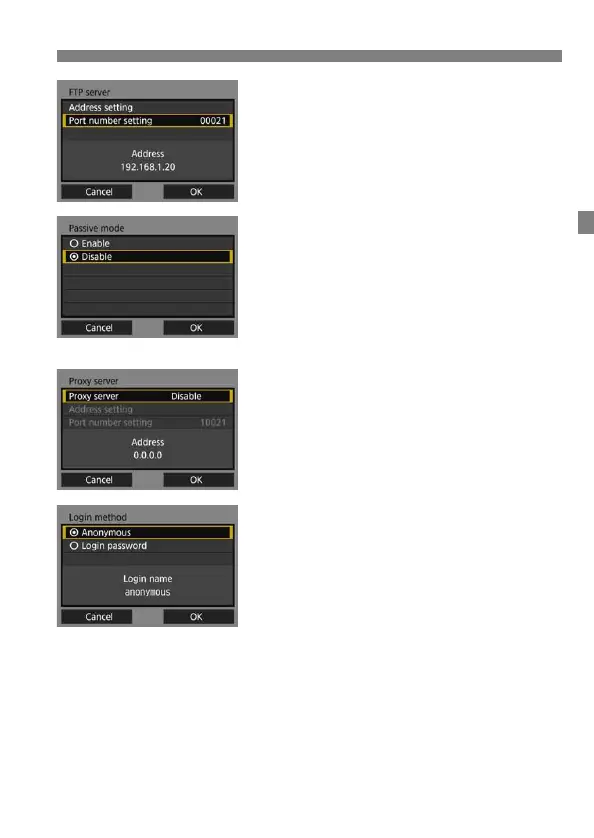
Set the port number.
[Port number setting] should usually
be 00021.
Select [OK] and press <0> to go to
the next screen.
5
Set the passive mode setting.
Select [OK] and press <0> to go to
the next screen.
If an Error 41 (“Cannot connect to
FTP server”) is displayed in step 8,
setting [Passive mode] to [Enable]
may resolve it.
6
Set the proxy server.
Select [OK] and press <0> to go to
the next screen.
7
Set the login method.
Select [OK] and press <0> to go to
the next screen.



 To Next Page