23
Displaying the Connection Wizard
4
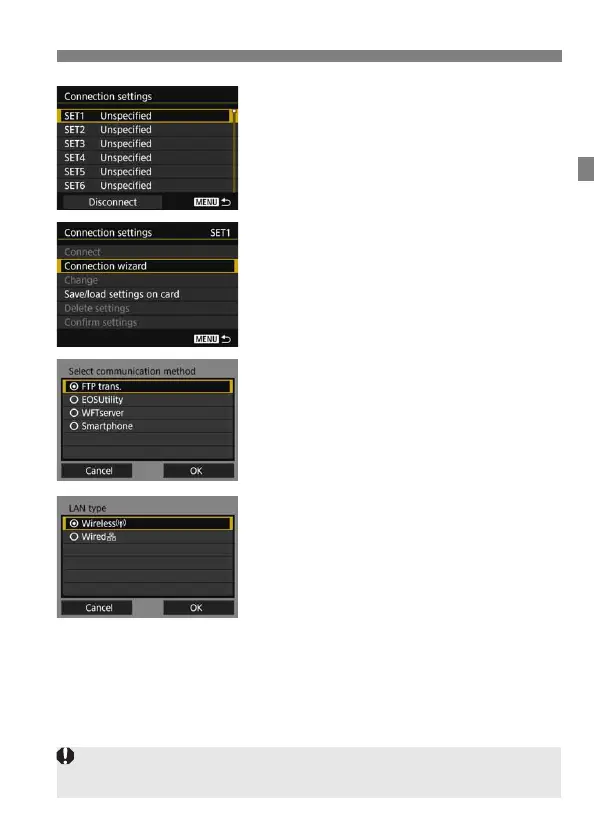
Select [SET*].
5
Select [Connection wizard].
The [Select communication
method] screen is displayed.
The <Y> lamp on the camera will
blink in green.
6
Select the communication
method.
Select the communication method by
referring to page 14.
Select [OK] and press <0> to go to
the next screen.
7
Select [Wireless].
Select [OK] and press <0> to go to
the next screen.
Select [Wired] when using a network
cable for the Ethernet RJ-45 terminal
on the camera. For details, refer to
the Wired LAN Instruction Manual
provided with the camera.
If [Wireless] cannot be selected in step 7, attach the transmitter securely to
the camera referring to page 11.



 To Next Page