42
Configuring FTP Server Connection Settings
5
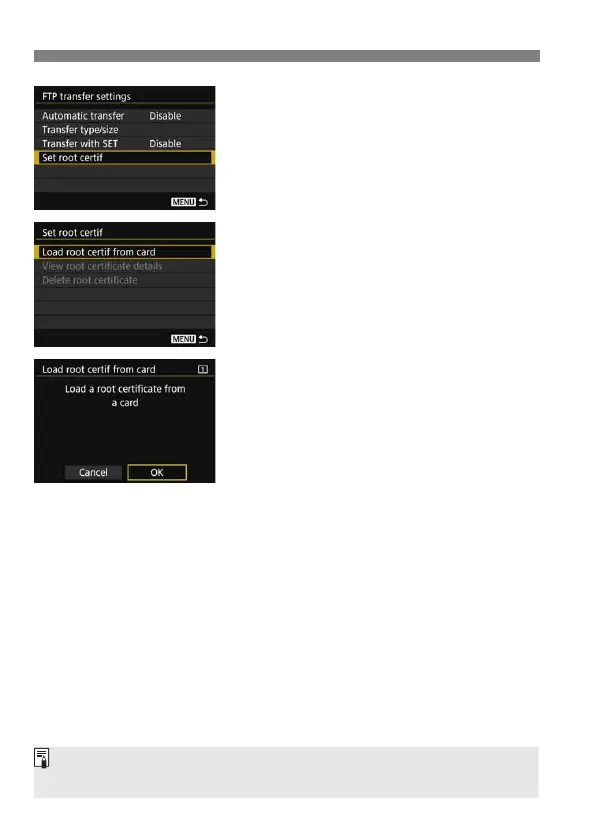
Select [Set root certif].
6
Select [Load root certif from
card].
7
Select [OK].
The root certificate is imported.
Select [OK] on the confirmation
dialog to return to the [Set root certif]
screen.
Select [Delete root certificate] on the screen for step 6 to delete the
root certificate imported to the camera. Select [View root certificate
details] to check the issuer, subject, validity period, and other
information.
You can import a certificate from the card selected for [Record/play] or
[Playback] under [51: Record func+card/folder sel.].



 To Next Page