94
Using the Transmitter with WFT Server
5
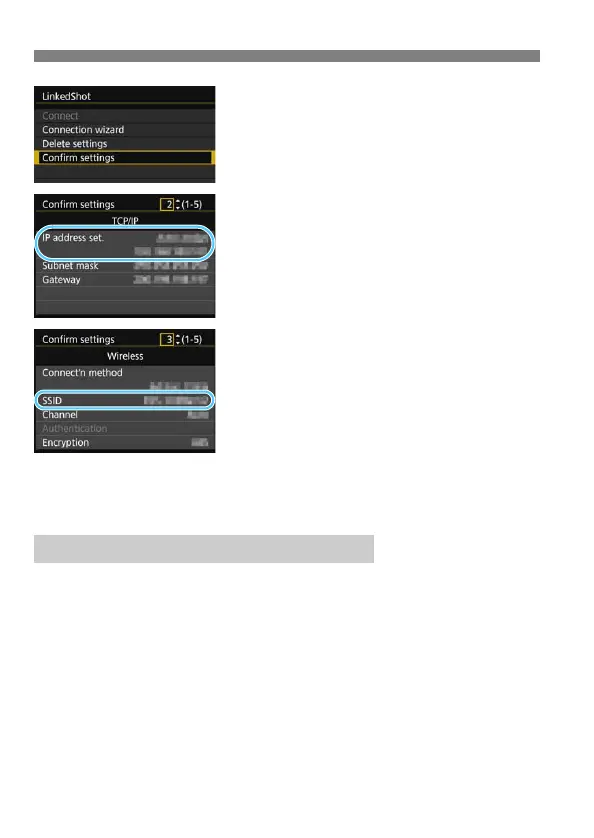
Select [Confirm settings].
The settings are displayed.
6
Check the settings.
Turn the <5> dial to display other
screens.
Write down the IP address and SSID.
The SSID is the same for all the
cameras.
After checking the settings, press the
<M> button to exit the
confirmation dialog.
Check settings on the master camera and all slave cameras in the
same way.
IP addresses assigned to cameras end in 1 - 11, as in 192.168.1.1 -
192.168.1.11.
For this reason, assign computer IP addresses that end in a number
higher than 11, as in 192.168.1.12.
IP Addresses Assigned to Computers



 To Next Page