EasyManua.ls Logo

Canon XH A1 - User Manual

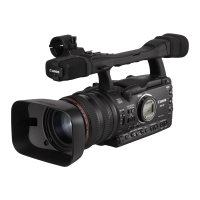
Canon XH A1
164 pages
Print Icon
To Next Page IconTo Next Page
Loading...
Mini
Digital
Video
Cassette
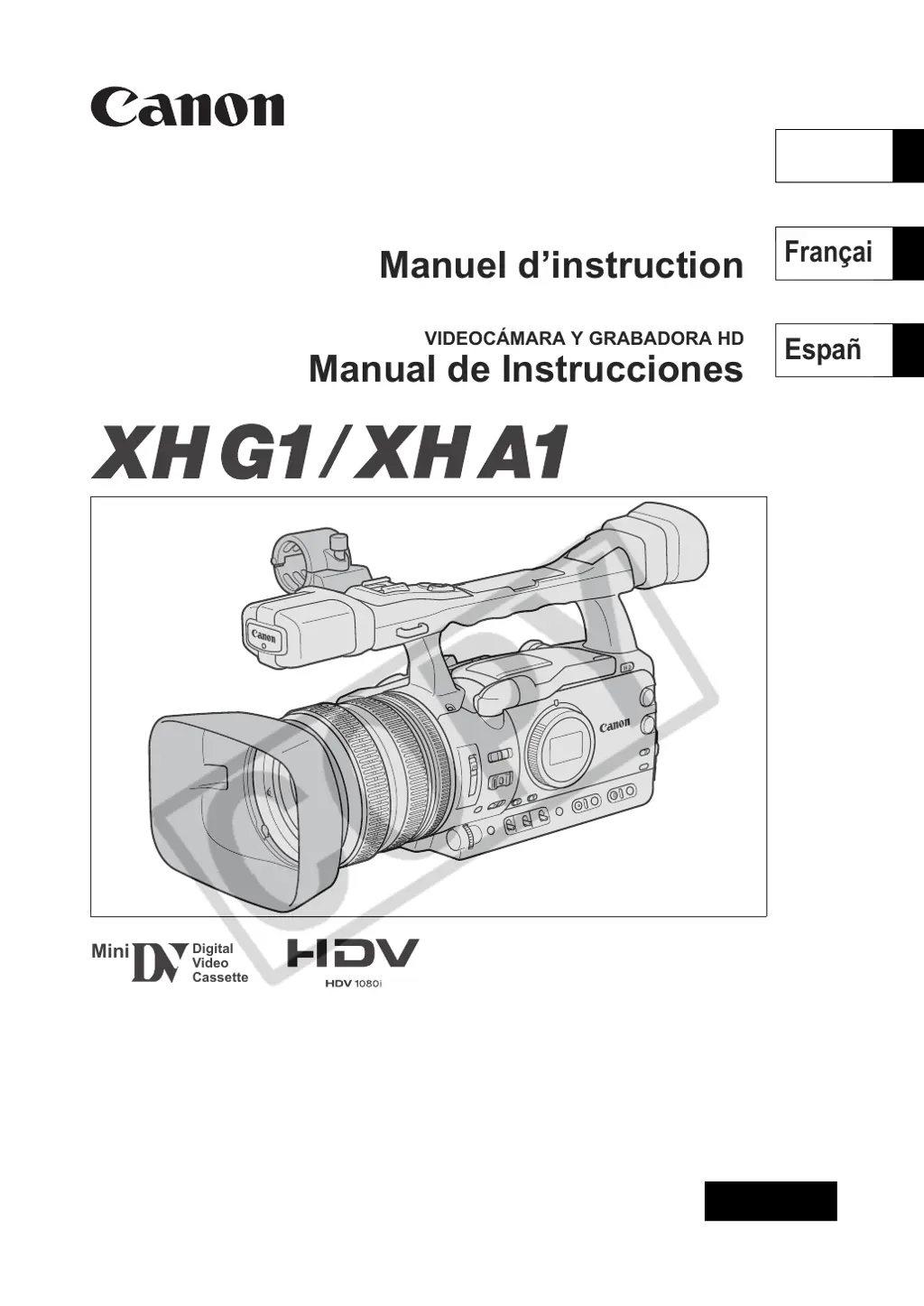
HD VIDEO CAMERA RECORDER
Instruction Manual
CAMÉSCOPE ET LECTEUR VIDÉO HD
Manuel d’instruction
VIDEOCÁMARA Y GRABADORA HD
Manual de Instrucciones
NTSC
A
PUB. DIM-776
English
Fran
ç
ais
Espol

Table of Contents

Other manuals for Canon XH A1

Questions and Answers

  • M
    Michael LeachAug 20, 2025
    What to do if start/stop button will not start recording on Canon Camcorder?
    • M
      megancardenasAug 20, 2025
      If pressing the start/stop button on your Canon Camcorder doesn't initiate recording, there could be several reasons: * Check if a cassette is loaded. * Ensure the dial is set to a recording program. * Verify the lock switch isn't set to prevent operation of the carrying handle controls; if it is, slide the lock switch to the left.
  • J
    Jeremy NelsonAug 21, 2025
    How to fix Canon Camcorder will not focus?
    • K
      Kevin HowardAug 22, 2025
      If your Canon Camcorder will not focus, it could be due to several reasons: * Autofocus may not work on the particular subject, so try focusing manually. * The viewfinder may need adjustment; use the dioptric adjustment lever. * The lens might be dirty; clean the lens.
  • M
    Morgan JacksonAug 25, 2025
    How to fix viewfinder picture is blurred on Canon Camcorder?
    • K
      Kaitlin RodriguezAug 25, 2025
      If the viewfinder picture on your Canon Camcorder is blurred, the viewfinder may not be adjusted properly. Adjust the viewfinder with the dioptric adjustment lever.
  • D
    David Rodriguez PhDAug 26, 2025
    What to do if abnormal characters appear on Canon Camcorder screen?
    • K
      Kendra JohnsonAug 27, 2025
      If abnormal characters appear on the screen and your Canon Camcorder isn't operating properly, it might be due to external noise or static electricity affecting the microcomputer. Try disconnecting the power source, waiting briefly, and then reconnecting it. If the issue continues, disconnect the power and press the RESET button using a pointed object. Remember that pressing the RESET button will reset all settings.
  • C
    craigrobertAug 27, 2025
    Why does my Canon XH A1 Camcorder switch off by itself?
    • H
      Holly MooreAug 28, 2025
      If your Canon Camcorder switches off by itself, it could be due to the power save function being activated. Turn the camcorder back on.
  • C
    christopher40Aug 30, 2025
    Why does Canon Camcorder screen switch on and off?
    • M
      Mark LeeAug 30, 2025
      If your Canon Camcorder screen switches on and off, the battery pack may be exhausted. Replace or charge the battery pack.
  • M
    Mark TaylorSep 1, 2025
    What does “SET THE TIME ZONE, DATE AND TIME” mean on Canon Camcorder?
    • J
      jennifergilbertSep 1, 2025
      If the message “SET THE TIME ZONE, DATE AND TIME” appears on the screen of your Canon Camcorder, it means the time zone, date, and time haven't been set, or the built-in rechargeable lithium battery is exhausted. Set the time zone, date, and time. If needed, power the camcorder with the compact power adapter and leave it connected with the dial set to OFF for at least 24 hours to recharge the built-in battery before making the settings.
  • K
    Kevin DunnSep 3, 2025
    Why is the wireless controller not working with Canon Camcorder?
    • J
      Jacqueline FitzpatrickSep 3, 2025
      If the wireless controller for your Canon Camcorder isn't working, it could be due to the camcorder and controller not being set to the same remote sensor mode. Change the remote sensor modes. Alternatively, the batteries in the wireless controller might be exhausted, so replace them.
  • R
    Raymond HernandezSep 5, 2025
    What to do if buttons will not work on Canon XH A1?
    • D
      Daniel SimsSep 5, 2025
      If buttons on your Canon Camcorder aren't working, it might be because a cassette isn't loaded. Load a cassette.
  • C
    Christopher SmithSep 7, 2025
    Why is power indicator off on Canon XH A1 Camcorder?
    • R
      Ronald MarksSep 7, 2025
      If the dial is not in the OFF position but the POWER indicator is off on your Canon Camcorder, the LED indicators option in the customized functions may be set to [02 OFF]. Set the [LED] setting to one of the other types.

Summary

About this Manual

Conventions Used in this Manual

Explains symbols, abbreviations, and conventions used throughout the manual for clarity.

Checking the Supplied Accessories

Components Guide

Camcorder Component Overview

Identifies and describes key components on the left, right, front, and top views of the camcorder.

Preparing the Power Supply

Battery Pack Management

Provides instructions for charging and attaching the camcorder's battery pack.

Preparing the Camcorder

Viewfinder and LCD Adjustment

Guides on adjusting the viewfinder's diopter and the LCD panel's display settings.

Changing Settings with the MENU Button

Recording Operations

Zooming Control

Focus Adjustment

Autofocus Modes

Details the available autofocus modes and their operation for sharp images.

Manual Focus Operation

Instructions for manually adjusting focus, including temporary overrides and assist functions.

Audio Recording Settings

Programmed AE Modes

Manual Mode Recording

White Balance Settings

Automatic White Balance

Adjusts white balance automatically for accurate color reproduction in various lighting.

Preset White Balance Modes

Utilizes predefined white balance settings for common lighting conditions.

Custom Presets

Playing Back a Tape

Recording Still Images on Memory Card

Erasing Images

Initializing a Memory Card

Menu Options and Defaults

Troubleshooting Guide

Power Source Issues

Provides solutions for problems related to the camcorder's power supply.

Recording and Playback Issues

Troubleshoots common problems encountered during recording and playback processes.

Technical Specifications

System Specifications

Details technical specifications for the camcorder's video, audio, and sensor systems.

Memory Card Specifications

Outlines memory card compatibility, file formats, and compression methods.

Canon XH A1 Specifications

General IconGeneral
Built-in displayYes
Display diagonal2.8 \
Display resolution207000 pixels
Filter size72 mm
Optical zoom20 x
Image stabilizerNo
Focal length range4.5 - 90 mm
Interchangeable lens-
Total megapixels1.67 MP
Camcorder tape typeHDV
Internal storage capacity0 GB
FocusAuto: Instant AF; Manual: Independent
I/O ports-Headphone -Microphone -DV(out/in) -Analogue-in -AV -LANC
Viewfinder resolution269000 pixels
Viewfinder screen size0.57 \
USB 2.0 ports quantityUSB 2.0 ports have a data transmission speed of 480 Mbps, and are backwards compatible with USB 1.1 ports. You can connect all kinds of peripheral devices to them.
Component video (YPbPr/YCbCr) out0
Product colorBlack
Battery typeBP-970G
Battery life (max)7 h
Camera shutter speed1/16000 s
Camcorder typeShoulder camcorder
Minimum illumination0.4 lx
Maximum video resolution1440 x 1080 pixels
Weight and Dimensions IconWeight and Dimensions
Depth350 mm
Width163 mm
Height189 mm
Weight2330 g

Related product manuals