-67-
Maintenance 5
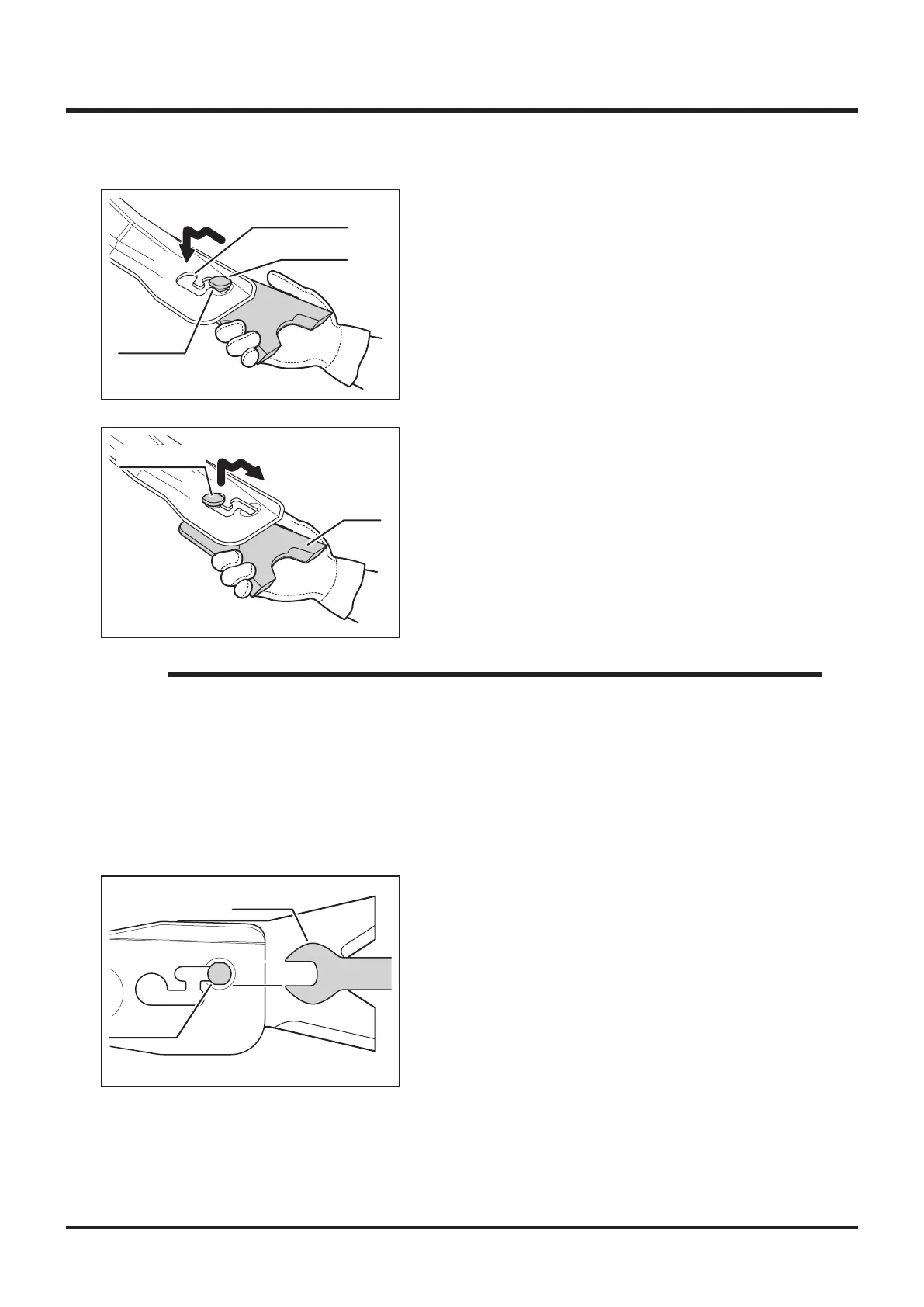
1. Open cutting blade shield.
2. Noting the direction of the flat faces on
mounting pin, shift blade along mounting slot
to remove blade.
Replacing
5332M-0508-050E
Mounting Slot
Flat Face
Flat Face
5332M-0508-060E
Blade
Mounting Pin
3. Install new mounting pin and wave washer
to blade and shift blade along mounting slot,
noting the direction of the at faces.
• Always put thick gloves on and be cautious when handling blade because both
edges of rotor stay can get sharp by wear.
• Wear Limit: See page 66
• If dirt or grass enters into mounting slot, making removal of blade difcult, remove
dirt or grass with a screw driver before removing blade.
• If it is difcult to remove blade, use 24mm spanner to remove
NOTE
24
5332M-0508-070E
Spanner
Blade Pin



 To Next Page