16
MSC Controls Overview
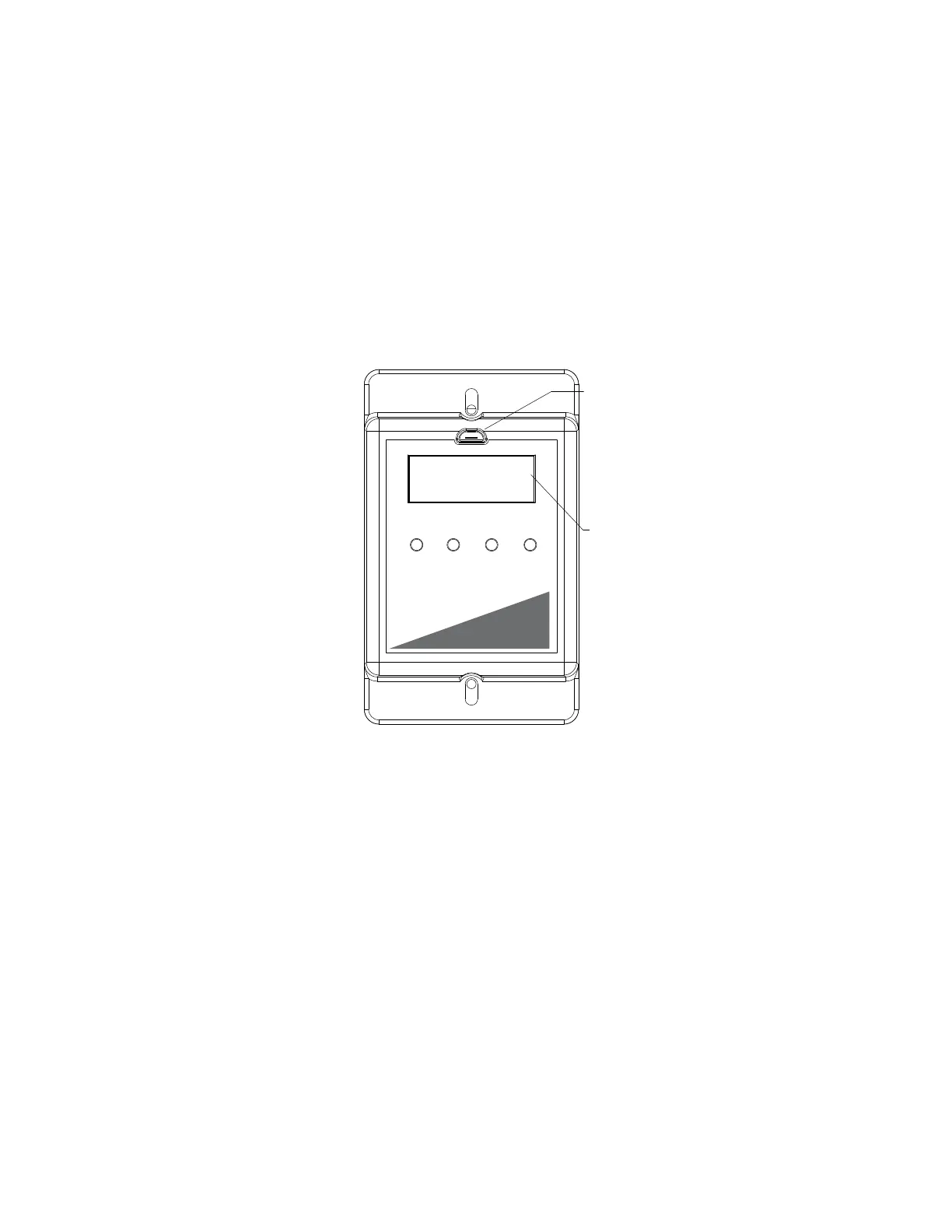
There are four buttons to navigate through the menu screens, refer to Figure 10.
Press the MENU button to access menu settings/parameters, pressing MENU will also back out of the
current menu screen. To scroll through menus, use UP and DOWN buttons. Press the ENTER button to
change setting/parameter selection.
To enter password, press MENU, then press ENTER when “Board Config” is displayed. Use UP and
DOWN to scroll through numbers, press ENTER to advance to the next numerical setting. To save
changes, press MENU until the screen displays “SAVE CHANGES? [ENTER] TO SAVE.” Press the
ENTER button to save changes.
Figure 10 - MSC Front Detail View
MSC Menu
Board Config - Password (default is 0225)
• Motor Type - User may change motor type between Nidec, Telco 42, Telco 48, Ziehl,
0-10V, Other.
• Control Type - This setting adjusts how the fan will be controlled.
• Local - The fan will be controlled by the MSC.
• Remote Modbus - The fan will be controlled by another master board through the MSC. A
connection between the 0-10V Out to 0-10V In must be made for start command.
• Remote 0-10V - The fan will be controlled by an external 0-10V signal.
• Speed Settings - Provides access to speed and voltage settings.
• Low Speed - Adjustable speed from 20% up to high speed setting, or 0-10V. Setting cannot go
above High Speed parameter.
• High Speed - Adjustable speed from 100% down to low speed setting, or 10-0V. Setting cannot go
below Low Speed parameter.
• Set Speed% - Adjustable speed range is dependent on Low Speed and High Speed settings. This
controls the output of the motor.
• Voltage Range - Only available when Motor Type “OTHER” is selected. Default setting is 24V. 5V,
and 10V are also available.
Menu Up Down Enter
Micro USB
Programming Port
(For Service Use Only)
SPEED%: 0
RPM: 0
Control Type:
LC = Local
MB = Remote Modbus
10V = Remote 0-10V
EXT = External Device
LC
MOTOR SPEED CONTROLLER
MSC


 To Next Page