ANNUNCIATORS, Cont.
÷ÿ (STABLE)
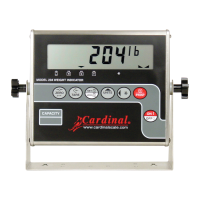
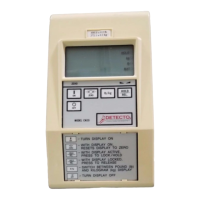
The ÷ÿ÷ÿ STABLE annunciator is located to the right of the weight display and is turned on when
the weight display is stable. When off, it means that the change in successive weight samples is
greater than the motion limits selected during setup and calibration of the 758.
lb
The lb annunciator is located to the left of the weight display and is turned on to show
that the displayed weight units is pounds.
kg
The kg annunciator is located to the left of the weight display and is used to indicate that the
displayed units of weight measurement is kilograms.
oz
The oz annunciator is located to the right of the weight display and is turned on to show
that the displayed weight units is ounces.
g
The g (gram) annunciator is located to the right of the weight display and is used to indicate
that the displayed units of weight measurement is grams.
ERROR AND STATUS DISPLAYS
The 758 is equipped with a diagnostic software program that tests various portions of the
instrument's circuitry and verifies proper operation. Should a problem be detected, an error or
status message will be displayed alerting the operator to that condition. The following lists these
errors and status displays and their meaning:
Display Meaning
UNSUNS Motion is present when the 758 is attempting to perform one of
the following operations:
Power Up
Zero Weight Display
-oF--oF- Attempting to display a negative number greater than -9,999 or
a positive number greater than 99,999.
O CapO Cap Scale weight exceeds scale capacity.
CALiBCALiB Indicates improper stored calibration data, calibration is
necessary.
a faila fail The analog to digital circuit has failed. Consult scale
serviceman.
Help aHelp a The microprocessor has stopped receiving the signal from the
analog circuit. To correct, remove the load from the scale
platform and power the indicator off and back on.
trltrl Indicates an attempt to zero a weight outside the scale zero
range. (See Four Percent Zero Tracking Range Limit).
lo Batlo Bat This indicates the batteries are low. Replace if using alkaline
batteries or if using Ni-Cad or NiMH batteries, remove and
recharge.
13



 To Next Page