EasyManua.ls Logo

Cardinal 205 - User Manual

Cardinal 205
82 pages
Print Icon
To Next Page IconTo Next Page
Loading...
8200-M129-O1 Rev D 205 Installation & Technical 1
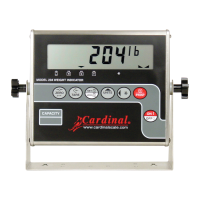
205
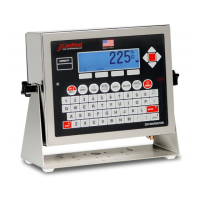
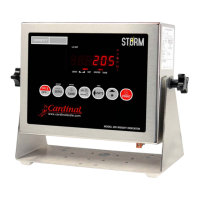
WEIGHT INDICATOR
Installation and Technical Manual
8200-M129-O1 Rev D 203 E. Daugherty, Webb City, MO 64870 USA Printed in USA
11/14 Ph: 417-673-4631 Fax: 417-673-2153
www.cardinalscale.com
Technical Support: Ph: 866-254-8261 tech@cardet.com

Questions and Answers

  • M
    myersnatalieAug 20, 2025
    What to do if my Cardinal Accessories scale shows 'oCAP'?
    • A
      Autumn RossAug 20, 2025
      The 'oCAP' error on your Cardinal Accessories scale indicates that the load exceeds the scale's capacity plus nine divisions. Remove the excess load from the platform. This error may also indicate miscalibration.
  • R
    Robert BlairAug 21, 2025
    What does 'ErrAh' mean on my Cardinal 205 Accessories scale?
    • A
      Aaron HallAug 21, 2025
      The 'ErrAh' error on your Cardinal Accessories scale means the load cell input is above the indicator's range. Check for improper load cell wiring, excessive load, and ensure the output is between 1 to 40mV. If the issue persists, it may be due to load cell or circuit failure, and you should consult your scale service provider.
  • J
    Joseph ByrdAug 25, 2025
    What does 'ErrAL' mean on Cardinal 205?
    • S
      Steven DuncanAug 25, 2025
      The 'ErrAL' error on your Cardinal Accessories scale indicates that the load cell input is below the indicator's range. Check for improper load cell wiring and ensure the output is between 1 to 40mV. If problems persist, the load cell or circuit may have failed, so consult your scale service provider.
  • C
    christopherchanAug 26, 2025
    What does '-oF-' mean on my Cardinal 205 Accessories scale?
    • S
      scott46Aug 26, 2025
      The '-oF-' error on your Cardinal Accessories scale means the indicator is trying to display a positive number greater than six digits or a negative number greater than five digits. Return to Gross Weight mode and review the Tare value. This may also indicate miscalibration.
  • A
    Alexander ParkerAug 27, 2025
    What does 'EEFAiL' mean on my Cardinal Accessories scale?
    • A
      Amanda AyalaAug 28, 2025
      If your Cardinal Accessories scale shows 'EEFAiL' (External EEPROM memory write/read failure), ID storage might not operate correctly, and it occurs once at Start-Up. Press any key to continue. If ID storage is not used, no further action is needed. Otherwise, consult your scale service provider.
  • S
    Sierra PerezAug 29, 2025
    What does 'EE Err' mean on my Cardinal 205 Accessories scale?
    • J
      jordanwellsAug 30, 2025
      If your Cardinal Accessories scale shows 'EE Err' (External EEPROM memory retention error), ID storage might not operate correctly, and it occurs once at Start-Up. Press any key to continue. If ID storage is not used, no further action is needed. Otherwise, consult your scale service provider.
  • R
    Rachael ConwaySep 1, 2025
    What does 'iiCErr' mean on my Cardinal 205?
    • T
      Tim BradshawSep 1, 2025
      If your Cardinal Accessories displays 'iiCErr' (IIC bus failure), functions using the IIC bus will not operate correctly, and it occurs once at Start-Up. Press any key to continue. Consult your scale service provider.
  • L
    lisa19Sep 3, 2025
    Why does my Cardinal 205 Accessories show 'UnStb' when printing?
    • S
      Summer AllenSep 3, 2025
      The 'UnStb' error on your Cardinal Accessories indicates motion is present while attempting a print function. Wait for a stable weight display (when the STABLE annunciator is on) before proceeding.
  • R
    Robert SchultzSep 5, 2025
    How to fix incorrect weight displayed on Cardinal 205 Accessories?
    • K
      Kimberly RoseSep 5, 2025
      If your Cardinal Accessories scale displays an incorrect weight, ensure the indicator has been calibrated. Check that the scale platform isn't touching anything. Inspect the load cell connector wiring. If using four-wire load cells, ensure the sense lead jumpers (J6 & J9) are installed. Also, verify that proper operating procedures have been followed.
  • J
    Jennifer CortezSep 6, 2025
    Why does my Cardinal 205 Accessories printer print a test ticket?
    • P
      Patrick HarrisonSep 7, 2025
      If the printer prints a test ticket or doesn't use the Print Tab Settings on your Cardinal Accessories, the print tab setting or visual ticket format must be selected before weighing or printing. To select the ticket format: 1. Press the ?/UP ARROW key, then the PRINT key. 2. The display will change to “Prt=”. 3. Press TARE/ENTER to show the current value. 4. Press TARE/ENTER again to save if acceptable. 5. If incorrect, use the ?/UP ARROW key to toggle to a new setting, then press TARE/ENTER to save. Allowable values: 0 = print tab settings, 1 = visual ticket format 1, 2 = visual ticket format 2. The selected format remains active until changed.

Summary

205 WEIGHT INDICATOR Installation and Technical Manual

Important Precautions

Essential safety guidelines, including static electricity warnings.

Specifications Overview

Standard Features of the Indicator

Lists the core functionalities and capabilities of the Model 205 indicator.

Site Preparation Requirements

Electrical Power and Grounding

Requirements for electrical power supply, wiring, and grounding.

Installation Procedures

Mounting the Indicator Unit

Instructions for physically mounting the weight indicator enclosure.

Load Cell Cable Connections

Guidance on connecting load cells, including RFI suppression methods.

Serial I;O Cable Installation

Instructions for connecting serial communication cables.

USB Interface Installation

Steps for connecting the indicator via USB for data transfer.

Main PCB and Jumpers

Main PCB Jumper Configuration

Explanation of jumper settings for controlling indicator functions.

Keypad Functions

Setup and Calibration

Entering and Navigating Setup Mode

Steps to access and move through the indicator's setup menus.

Basic Setup Parameters

Configuration for Legal For Trade, weighing units, and interval settings.

Advanced Setup Parameters

Settings for decimal points, capacity, zero tracking, and power-up zero.

Calibration Modes

Descriptions of various calibration methods including dual and single-point.

Fine Span Adjustment

Procedure for adjusting the scale's span for accuracy.

Setup Review

Calibration C Numbers

Troubleshooting

Error Codes and Corrective Actions

List of error codes displayed by the indicator and their meanings.

Common Problems and Solutions

Guidance for common issues before contacting service.

Diagnostic Test Mode Operations

Instructions for entering, changing, and stopping the diagnostic test mode.

Local;Remote Setup

Statement of Limited Warranty

Cardinal 205 Specifications

General IconGeneral
BrandCardinal
Model205
CategoryAccessories
LanguageEnglish

Related product manuals