EasyManua.ls Logo

Cardinal 205 - User Manual

Cardinal 205
82 pages
Print Icon
To Next Page IconTo Next Page
Loading...
8200-M129-O1 Rev D 205 Installation & Technical 1
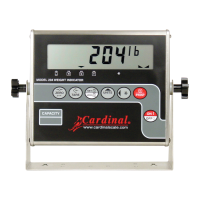
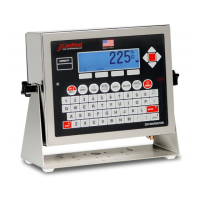
205
WEIGHT INDICATOR
Installation and Technical Manual
8200-M129-O1 Rev D 203 E. Daugherty, Webb City, MO 64870 USA Printed in USA
11/14 Ph: 417-673-4631 Fax: 417-673-2153
www.cardinalscale.com
Technical Support: Ph: 866-254-8261 tech@cardet.com

Questions and Answers

  • E
    Earl SmallSep 8, 2025
    What does 'HuH?' mean on my Cardinal Accessories scale?
    • J
      Jesus LewisSep 9, 2025
      If your Cardinal Accessories scale shows 'HuH?', it means the UNITS key was pressed to perform a unit conversion that is not allowed. Determine the reason for the error display and take the appropriate corrective action.
  • W
    Wayne WebbSep 12, 2025
    What does 'notArE' mean on my Cardinal Accessories scale?
    • Q
      qbryantSep 12, 2025
      If your Cardinal Accessories scale shows 'notArE', it means the NET key was pressed with no stored tare weight value. Determine the reason for the error display and take the appropriate corrective action.
  • T
    thomasruthSep 12, 2025
    What to do if CALbtn is displayed on Cardinal 205?
    • G
      gsmithSep 13, 2025
      The CALbtn displayed on Cardinal Accessories means that you should release the switch. If the problem persists, replace the calibration switch assembly or consult your scale service provider.
  • D
    Derek LeeSep 15, 2025
    What to do for E[2]PROM checksum failure on Cardinal 205?
    • K
      Kristen SmithSep 15, 2025
      If your Cardinal Accessories scale displays 'E[2]PROM checksum failure', recalibrate it using a calibrated test weight.
  • M
    Michael ArmstrongSep 16, 2025
    What to do if an invalid keypad entry was attempted on Cardinal 205 Accessories?
    • L
      Lonnie WellsSep 16, 2025
      If an invalid keypad entry was attempted on Cardinal Accessories, determine the reason for the error and take the appropriate corrective action.

Summary

205 WEIGHT INDICATOR Installation and Technical Manual

Important Precautions

Essential safety guidelines, including static electricity warnings.

Specifications Overview

Standard Features of the Indicator

Lists the core functionalities and capabilities of the Model 205 indicator.

Site Preparation Requirements

Electrical Power and Grounding

Requirements for electrical power supply, wiring, and grounding.

Installation Procedures

Mounting the Indicator Unit

Instructions for physically mounting the weight indicator enclosure.

Load Cell Cable Connections

Guidance on connecting load cells, including RFI suppression methods.

Serial I;O Cable Installation

Instructions for connecting serial communication cables.

USB Interface Installation

Steps for connecting the indicator via USB for data transfer.

Main PCB and Jumpers

Main PCB Jumper Configuration

Explanation of jumper settings for controlling indicator functions.

Keypad Functions

Setup and Calibration

Entering and Navigating Setup Mode

Steps to access and move through the indicator's setup menus.

Basic Setup Parameters

Configuration for Legal For Trade, weighing units, and interval settings.

Advanced Setup Parameters

Settings for decimal points, capacity, zero tracking, and power-up zero.

Calibration Modes

Descriptions of various calibration methods including dual and single-point.

Fine Span Adjustment

Procedure for adjusting the scale's span for accuracy.

Setup Review

Calibration C Numbers

Troubleshooting

Error Codes and Corrective Actions

List of error codes displayed by the indicator and their meanings.

Common Problems and Solutions

Guidance for common issues before contacting service.

Diagnostic Test Mode Operations

Instructions for entering, changing, and stopping the diagnostic test mode.

Local;Remote Setup

Statement of Limited Warranty

Cardinal 205 Specifications

General IconGeneral
BrandCardinal
Model205
CategoryAccessories
LanguageEnglish

Related product manuals