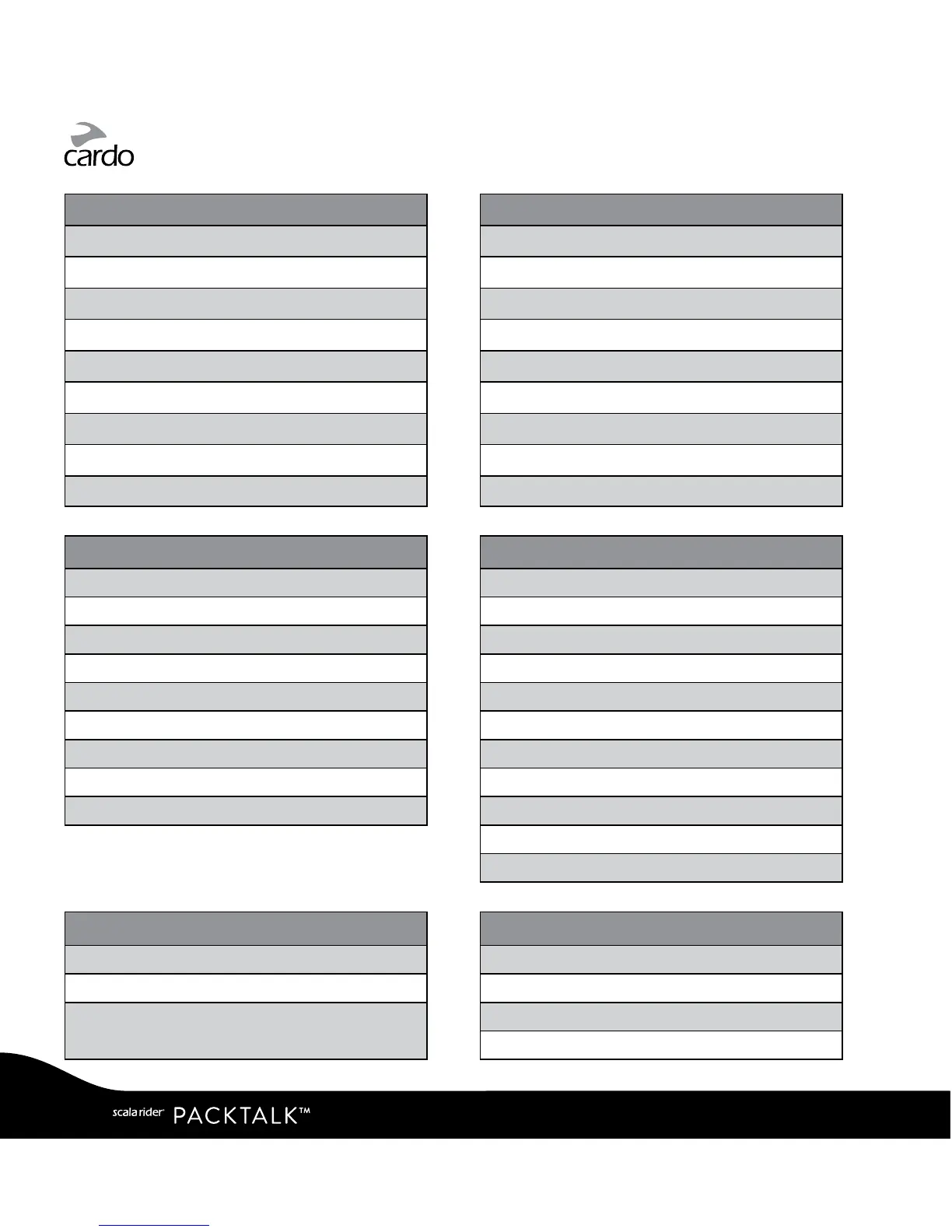
Settings
menu
(3 taps on
Z
)
Standby mode menu
A2DP / Intercom audio priority Mute / Unmute the Pack (only in DMC mode)
VOX Operation Mode Play Music
Spoken Status Announcements Play Radio
Click-to-Link Start Intercom (only in Bluetooth mode)
AGC Voice Dial
RDS Redial
VOX Hotdial
Parallel Audio Streaming Switch Intercom mode (DMC/Bluetooth)
Language Advanced Features Menu
Advanced Features
menu
in DMC mode
Advanced Features menu in Bluetooth mode
Create a Pack Pair Intercom Channel A
Join a Pack Pair Intercom Channel B
Leave the Pack Pair Mobile Phone to Channel 1
Pair Mobile Phone to Channel 1 Pair Mobile Phone to Channel 2
Pair Mobile Phone to Channel 2 Pair GPS to Channel 1
Pair GPS to Channel 1 Pair GPS to Channel 2
Pair GPS to Channel 2 Cardo Gateway on Intercom Channel B
Reset Mobiles and GPS pairing Reset Mobiles and GPS pairing
Reset to Factory settings Reset Channel A & B pairing
Reset 1+8 Buddy pairings
Reset to Factory settings
A2DP mode menu FM Radio mode menu
Scan tracks up Auto Scan 6 stations
Scan tracks down Seek stations up
Start / Stop Music Sharing
(only in BT Intercom mode)
Scan stations up
Scan stations down
8
|








 To Next Page