
 Need help?
Do you have a question about the Cardo Systems Scala 500 and is the answer not in the manual?
Lists key features and benefits of the scala-500 headset, including wireless connectivity and battery life.
Advises users to be mindful of attention and concentration requirements while driving.
Addresses potential interference with pacemakers, hearing aids, and other medical devices.
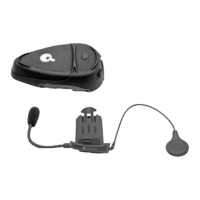
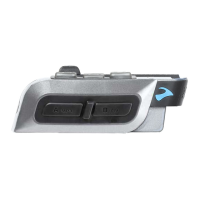
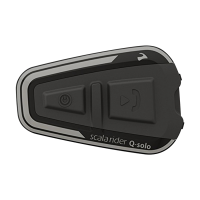
Illustrates and labels the Multi-Function Wheel (MFW) and Control Button (CTRL) of the headset.
Explains how to turn the headset ON and OFF, including LED indicators.
Details the required Bluetooth pairing process between the headset and a mobile phone.
Describes methods to re-establish a lost Bluetooth link between the headset and a paired phone.
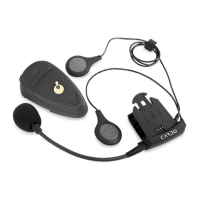
Explains how to attach and wear the headset using different clip options like ear-loop and sunglass clip.
Explains how to orient the headset for wearing on either the left or right side of the head.
Describes how to wear the carry-sleeve with a neckband or belt clip.
Instructions for initiating calls via keypad and using the voice dialing feature.
How to answer incoming calls and end active conversations.
Adjusting headset volume, using the mute function, and switching calls between devices.
Managing calls by redialing the last number and rejecting incoming calls.
Addresses questions about battery removability and charging procedures.
Answers common questions about audio clarity, pairing, and Bluetooth interference.
Covers topics like radio interference, device durability, and multi-phone compatibility.
Directs users to the website for additional help and support.
Details the one-year warranty scope, terms, and conditions for the headset.
Outlines circumstances that void the warranty and specific exclusions from coverage.
Explains the necessary steps for product registration and receiving warranty service.
States general warranty terms, exclusions for wear-and-tear, and liability limitations.
Resolves issues related to headset pairing, call answering, and voice dialing.
Addresses problems with battery life and the charging indicator light.
Provides solutions for poor sound quality, interference, and phone placement issues.
 General
| Range | 500 meters |
|---|---|
| Standby Time | 7 days |
| Charging Time | 3 hours |
| Voice Activation | Yes |
| FM Radio | No |
| Audio Multitasking | No |







 To Next Page
