LB.05080.00 Pag.10 16/04/2014
keep key n°9 (shift) pressed and then press key n° 10 ( info), and the machine will set itself to on state.
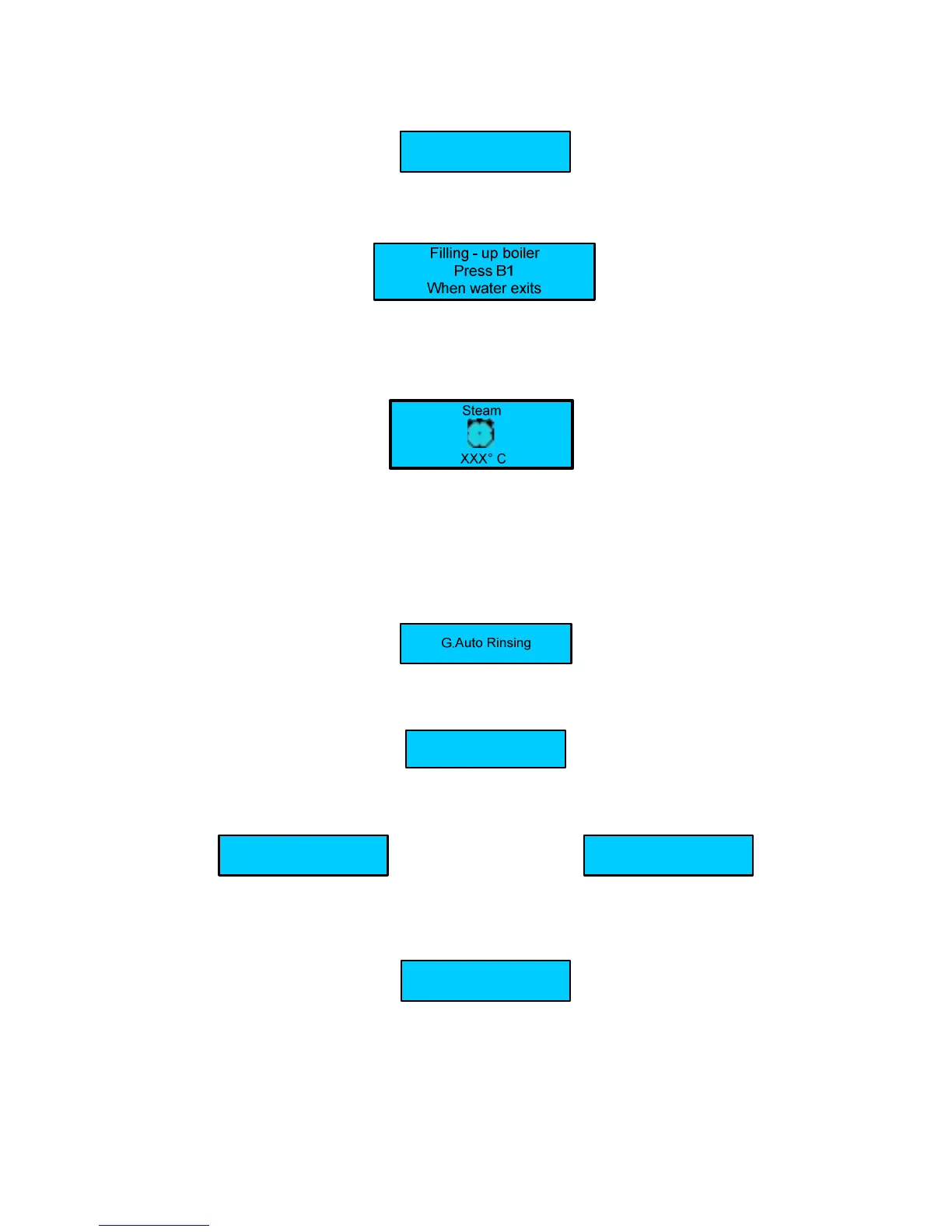
Filling - up steam boiler
During this stage the steam boiler is being filled up.
WARNING
: The solenoid valve of the milker steam automatically opens to release the air inside the boiler.
When the steam boiler has been filled up, the display shows:
During this stage the exchanger is being filled up
WARNING
:
The upper piston of the coffee group positions itself inside the brewing chamber, and the exchanger starts filling up. When
the coffee spout starts dispensing water, press the key dose N° 1 to confirm that the filling up procedure has been carried
out. When the exchanger has been filled up, the display shows:
Where:
- XXX ° C indicates the temperature of the Steam boiler
WARNING
:
A) DURING THIS STAGE THE MILK FROTHER SOLENOID VALVE WILL STAY OPEN UNTIL 95°C. THIS WILL RELEASE THE AIR
FROM THE BOILER.
B)
WHEN THE BOILER TEMPERATURE OF 50°C ITS REACHED THE MACHINE CARRY-OUT A RINSING GROUP, THIS IS
USEFULL TO RELEASE AIR FROM THE WATER COFFEE CIRCUIT; THE DISPLAY WILL SHOW :
When the set-up temperature is reached , the display shows:
For machine configurations: Standard.
Select drink
For machine configurations: Self.
The display shows:
Select drink
Alternated with the message:
Position the cup
For machine configuration: Self with coin box.
The display shows:
Select Drink
WARNING:
a) For Self with coin box configuration the selections doses are enabled only when the set-up temperature has
been reached.
b) To switch ON the machine on every type of Self – configuration, keep key n°9 (shift) pressed and then press key n° 10
( info), the display shows:












 To Next Page