BT2 user manual - H-5911-9004-02-B Page | 28
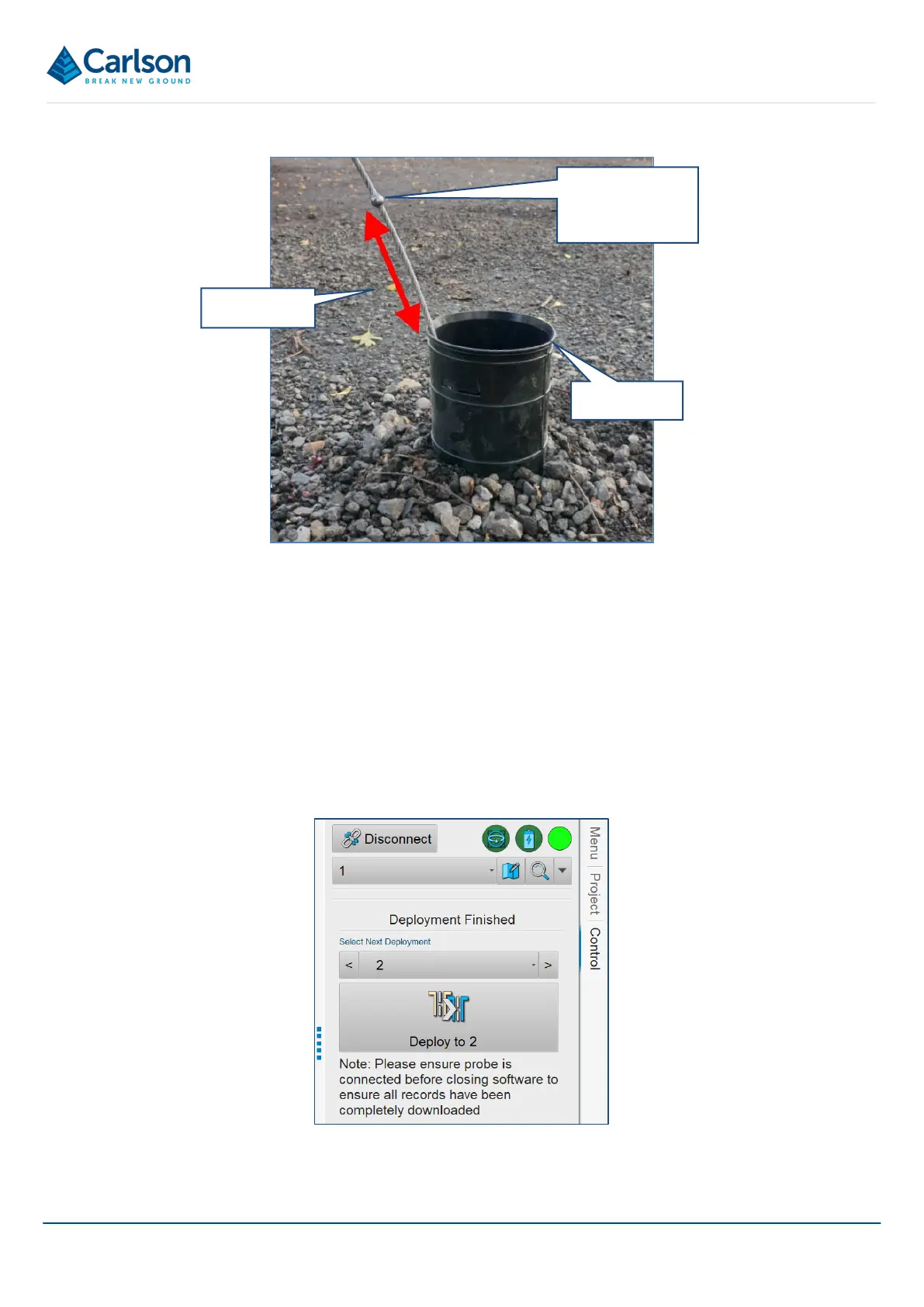
Enter the measured offset into the Final Offset field. This value is deducted from the last reading’s full segment
length.
In the example in Figure 24 above, 9 * 2 m readings have been taken, giving a total of 18 m. But since the last
deployment was not fully down to the next nodule, the Final Offset is measured and entered as 0.5 m. Therefore,
the surveyed hole length is:
18.00 m – 0. 5 m = 17.5 m.
To end the survey, tap Finish.
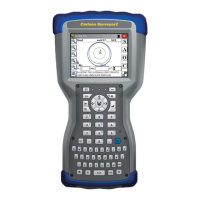
The Next Deployment controls appear.
By default, the next hole in sequence in the list of holes in the project is assumed to be the next hole that will be
surveyed, in this case, hole 2. Tap Deploy to 2 to continue to the next hole.
Hole collar
The next nodule
that would have
been used
Final offset
Figure 25 Final offset at end of deployment
Figure 26 Next Deployment controls



 To Next Page