Page | 39
Carlson Software
WebUI (connued)
Working Mode
(connued)
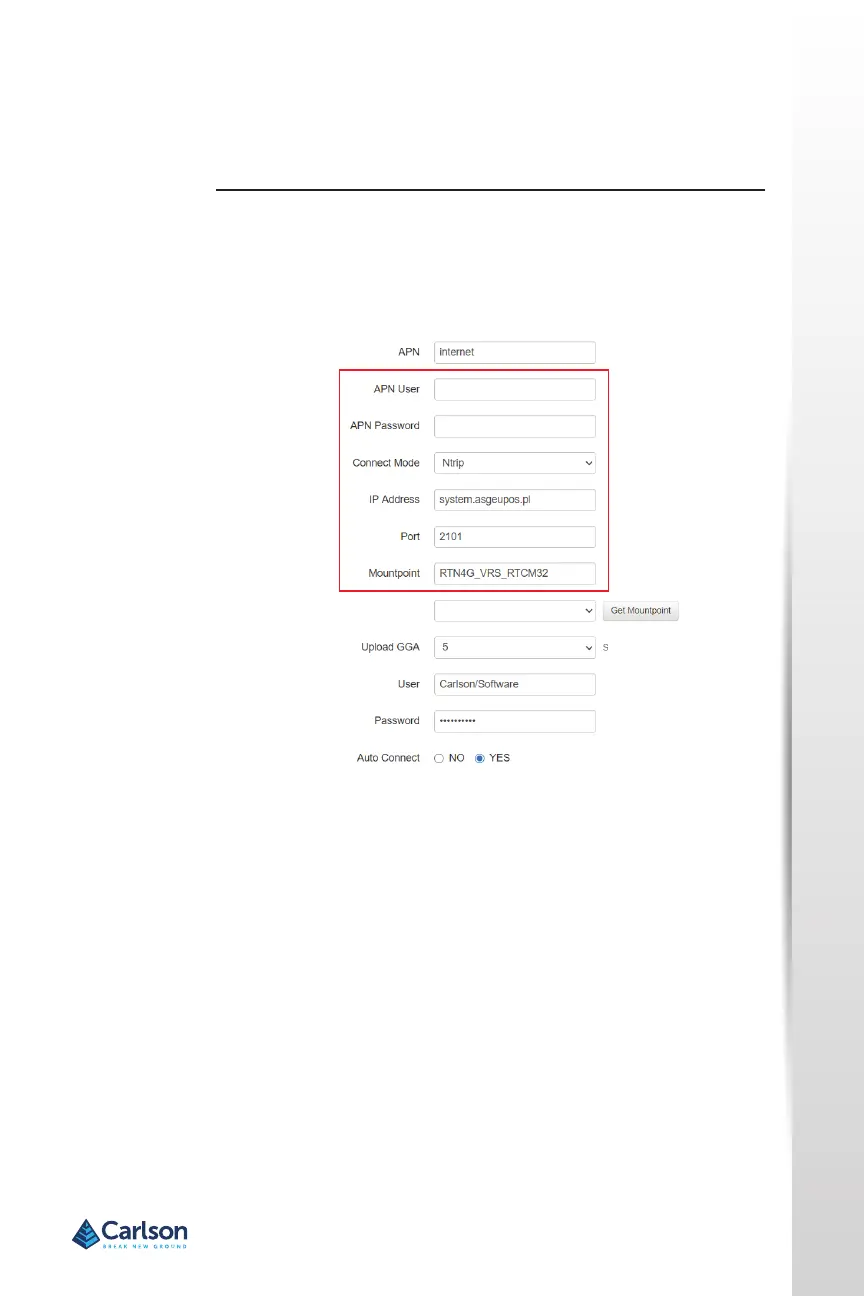
Type your APN Username, APN Password, IP address, Port, and
Mountpoint. If a username and password is not required for your APN, you
can leave those elds blank. The conguraon of NTRIP for a base is shown
below.
lf conguring NTRIP for a Rover, click Get Mountpoint to generate a list of
available mountpoints.
WARNING: lf the BRx7 has not yet established an internet connecon via
the Internal GSM modem, the Get Mountpoint buon will not operate.
You can congure the APN sengs while using TCP/IP so that an internet
connecon is established.


 To Next Page