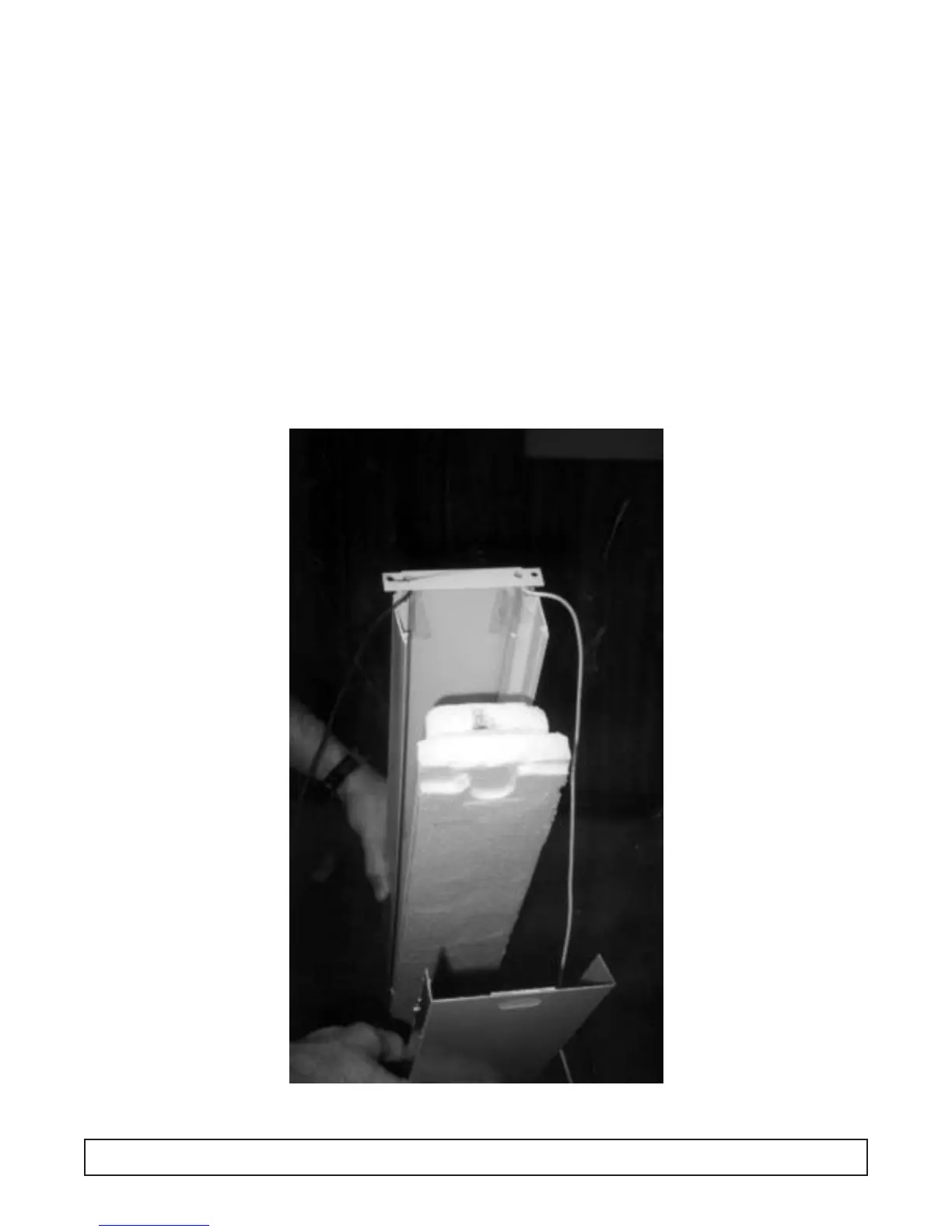
CENTER MULLION HEATER REPLACEMENT
DISCONNECT POWER SUPPLY TO CABINET
Grip inner mullion cover panel at top while pulling on
the inner mullion panel. Spread plastic extrusion apart
at the top. Continue down the mullion assembly until
mullion cover is free. Set aside.
Again spread plastic extrusion apart and carefully
remove the insulation material. This will expose the
mullion heater taped in place. Heater leads are routed
either up or down (top mount or BTM mount) into an
electrical raceway to a terminal board where they can
be disconnected and replaced. Assemble in reverse
order.
Note: reseal holes provided with a silicone sealant
upon repair.
MAINTENANCE & REPAIR 53




 To Next Page