CHAPTER-III THE PART
REPLACEMENTS
A. REPLACEMENT OF THE LOAD CELL A.I REPLACEMENT OF THE
LOAD CELL
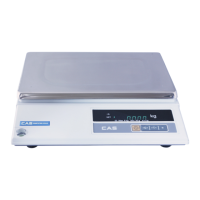
A.I.I Remove the platter and disassemble the upper case.
A. 1.2 Remove the platform on the load cell with a hex wrench.
A.1.3 Disconnect a connector wire of the load cell from the P.C.B.
A.1.4 Remove the load cell from the body.
A.1.5 Replace the load cell by a new one.
A. 1.6 Connect a connector wire of the load cell to the P.C.B.
A.1.7 Place the platform on the load cell.
A.2 CORRECTION OF THE ECCENTRICITY
A.2.1 Set the calibration mode. A.2.2 Set the MODE 2. (CHAPTER II, D.2)
A.2.3 Rezero the display by pressing the
"ZERO"
key, if it is needed. A.2.4 Put a quarter of the full weight on the platter by
turns as shown in below.
A.2.5 File each corner which has a less output than the others.
And check each point is within ±1 count tolerance with % of a full load.
A.3 THE SPAN CALIBRATION
Refer to the SPAN CALIBRATION FROM REPAIR in the Chapter II.



 To Next Page
 Loading...