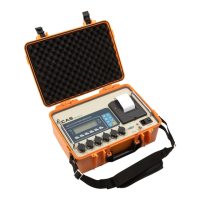
Road Weigher
▩▩▩▩▩▩▩▩▩▩▩▩▩▩▩▩▩▩▩▩▩▩▩▩▩▩▩▩▩▩▩▩▩▩▩▩▩▩▩▩▩▩▩▩▩
- 14 -
9. Set Mode
(1) HOW TO ENTER
Turn on the Power while pressing the
key and TEST menu starts.
(2) AVAILABLE KEYS
Key : Increase the first place set value to 1
Key
: Move to the left by 1 place of the set value.
Key : Move into next menu.
(3) SET MENU(F01 - F14)
F01 : Select primary base unit (kg/lb)-U.S.A version
F02 : Designation of serial port usage(RS-232C)
F03 : Automatic Zero Tracking
F04 : Digital filter
F07 : Weight Back-up
F10 : Device ID
F13 : Quantity of scales
F14 : Clock (Only PRINT connected)
( U.S.A version)
Select the primary base unit
0
Primary unit is kg
F01
1
Primary unit is lb
Serial port usage
0
Not used
F02
1
Connection with Serial printer


 To Next Page
 Loading...