Admin website overview
User Guide
User Guide
3-9
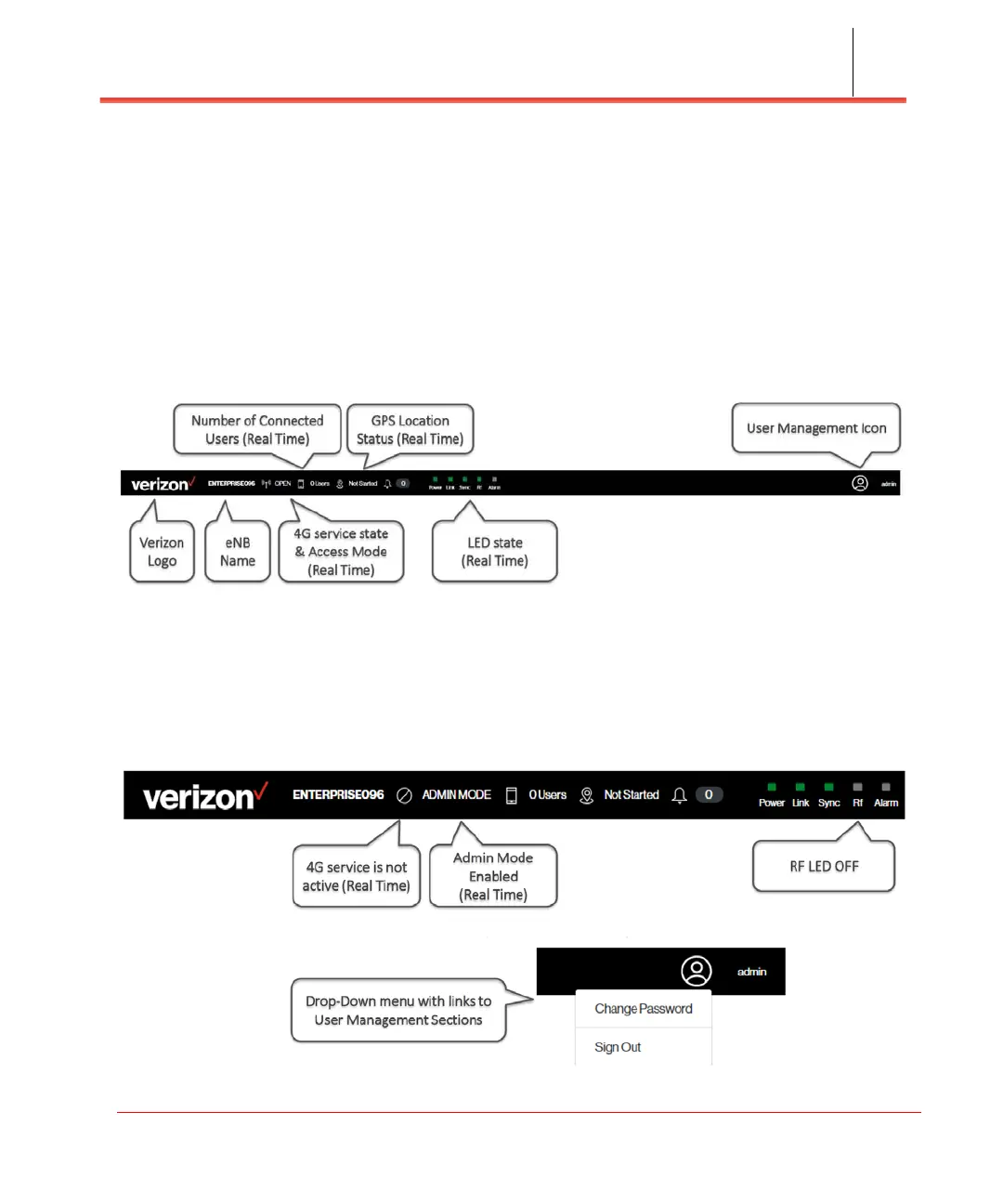
GUI header bar
The top of the Web GUI includes a Header Bar (see Figure 3-4) that provides
contextual information which is dynamically updated by the Web GUI application in
real time without the user's intervention.
Header Bar information is common to all pages. The LEDs in the Header Bar show
the same status as the physical LEDs on the Network Extender.
Figure 3-4. Header Bar
The Header Bar includes a shortcut to a drop-down menu providing access to the User
Management sections and the ability to change the password and Sign Out (see
Figure 3-5).
Figure 3-5. Header Bar drop-down menu



 To Next Page