Admin website access
User Guide
User Guide
3-3
LMT port
To connect to the Network Extender, you will need to change your TCP/IPv4 settings
to connect directly to the LMT port from your laptop, using an Ethernet cable.
To access settings and manage the Network Extender, login to the web interface by
following these steps:
1. In Windows, click Control Panel on the Start menu.
2. Click Network and Sharing Center.
3. Click the Local Area connection icon that represents your Ethernet connection.
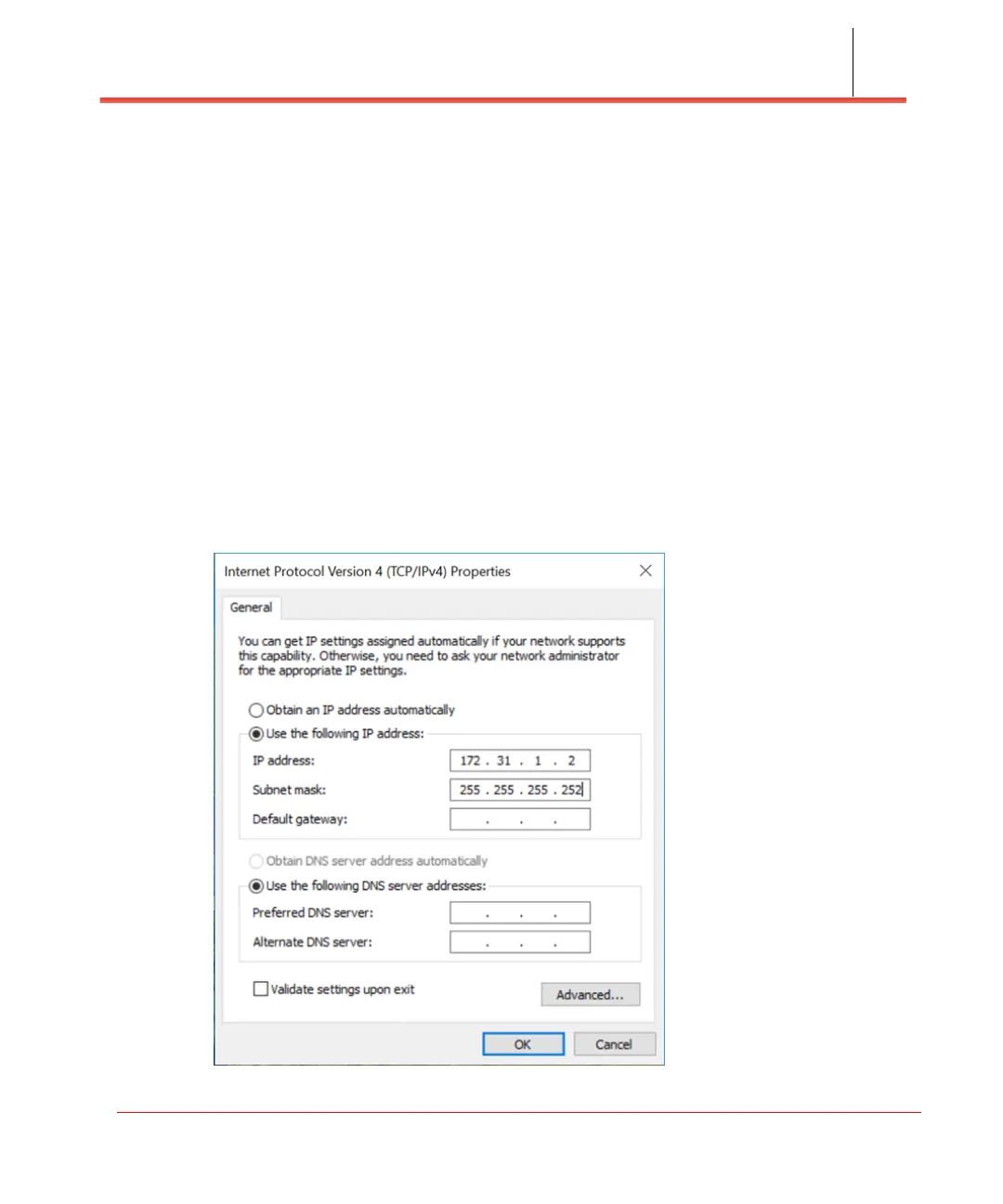
4. Change the Internet Protocol Version 4 (TCP/IPv4) Properties for the local
computer Ethernet connection as shown in Figure 3-1, then click OK.
Figure 3-1. IPv4 (TCP/IPv4) Properties



 To Next Page