27 | Page
CONTROL OVERVIEW
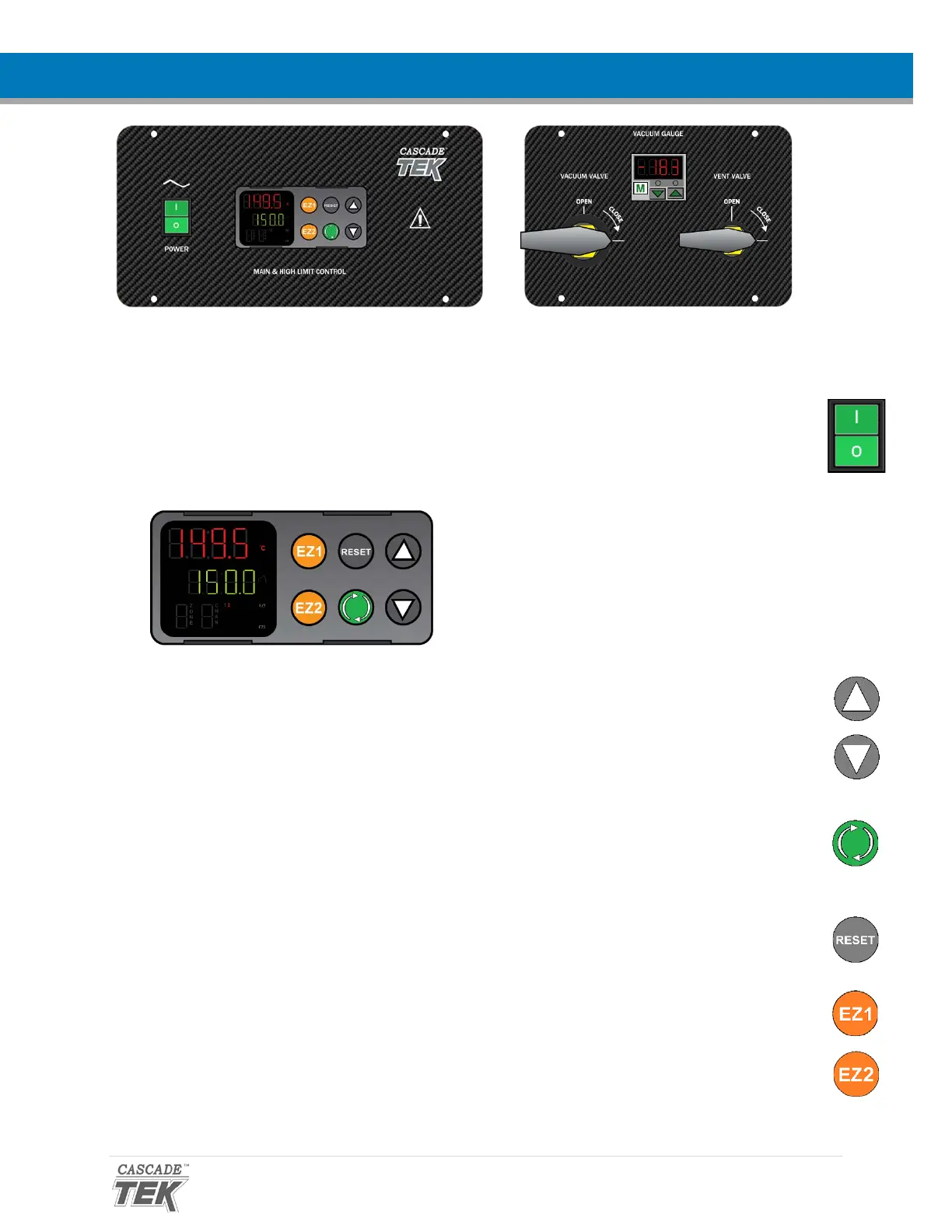
Control Panels
Power Switch
The switch illuminates when in the ON ( I ) position.
Temperature Controller - Display on Homepage
While on the homepage, the Up and Down arrow buttons adjust the constant temperature setpoint.
Pressing and holding both buttons navigates from the homepage to menu pages. On the menu
pages, the buttons adjust calibration offsets and heating profile variables.
When starting on the homepage, the green Advance button navigates forward through parameter
option pages including Event 1 (vacuum on or off) and units of measurement (Celsius or Fahrenheit).
The button also advances forward in menus and parameter lists when programming heating profiles.
The gray Reset button returns the display to the previous page or menu. Pushing the Reset button
repeatedly returns the display to the homepage.
The EZ1 button launches heating Profile 1. Pushing EZ1 again while running aborts Profile 1.
The EZ2 button launches heating Profile 2 (Step 11). Pushing EZ2 again while running aborts Profile 2.
Top Line (Red): Present chamber shelving
temperature
Middle Line (Green): The constant
temperature setpoint
Bottom Line: Flashing “2” indicates active
heating


 To Next Page