36 | Page
OPERATION
SETTING THE CONSTANT TEMPERATURE SETPOINT
HEATING PROFILES
Please see the profiles guide included with this oven for how to program automated heating recipes. The
guide provides illustrated explanations for all major profile functions and programming steps.
Pushing EZ1 launches heating Profile 1. Pushing EZ1 again while running aborts Profile 1.
Pushing EZ2 launches heating Profile 2 (Step 11). Pushing EZ2 again while running aborts Profile 2.
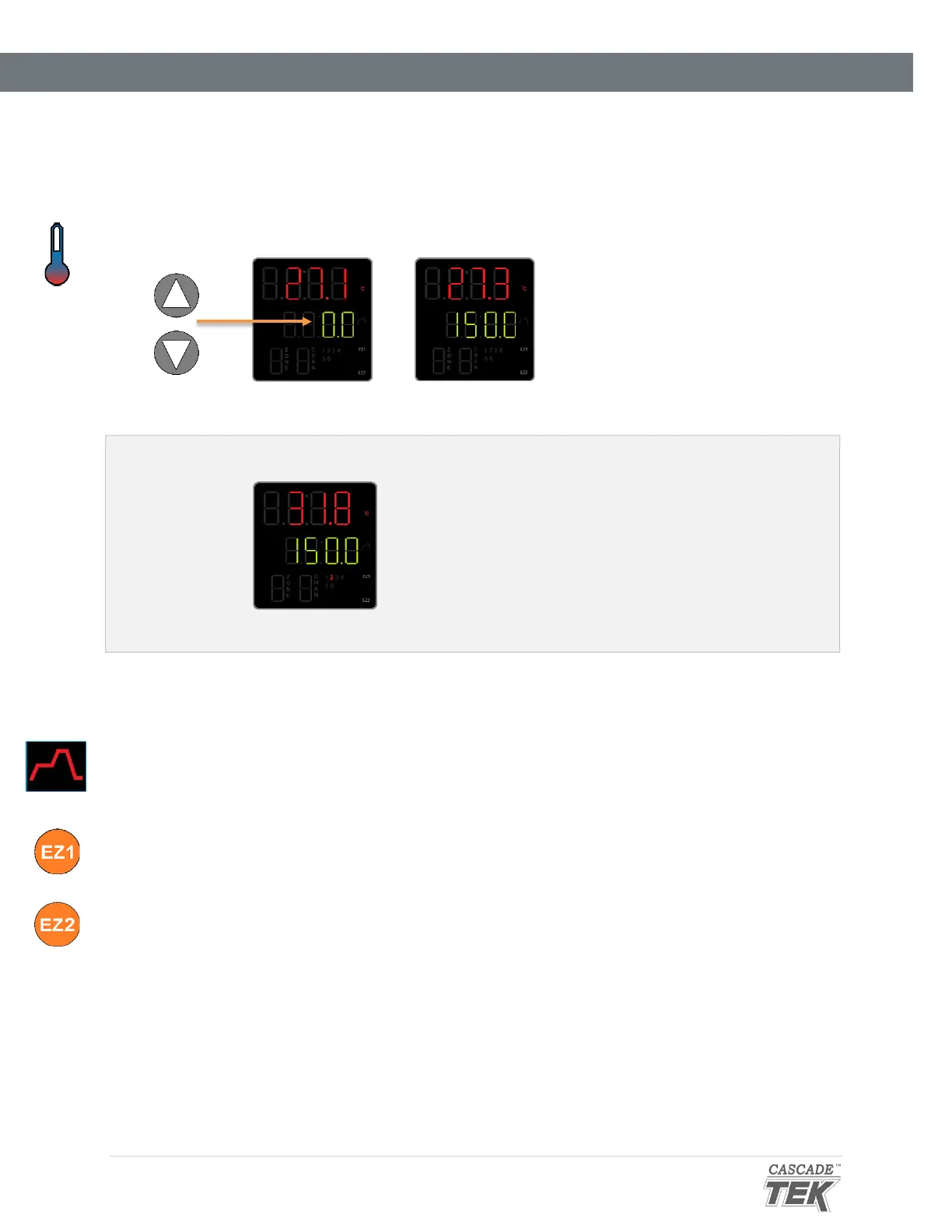
1. Adjust the constant temperature setpoint on the homepage
Adjust
• Stay 10°C below the high limit
setpoint.
Note: Holding down an arrow
button will cause the
temperature to advance in
increments of ten (10).
Release the arrow buttons after adjusting the setpoint
• There may be a brief pause as the oven controller
calculates the optimum power usage to achieve the
setpoint starting from the current oven chamber
temperature.
• A small illuminated 2 near the bottom of the display
indicates the temperature controller is calling for
heat.
Oven Heating


 To Next Page