32 | Page
OPERATION
PUT THE OVEN INTO OPERATION
Verify all of the required procedures in the Installation section have been carried out. Then perform
the following steps and procedures to prepare the oven for use in a new location.
Continued next page
1
2
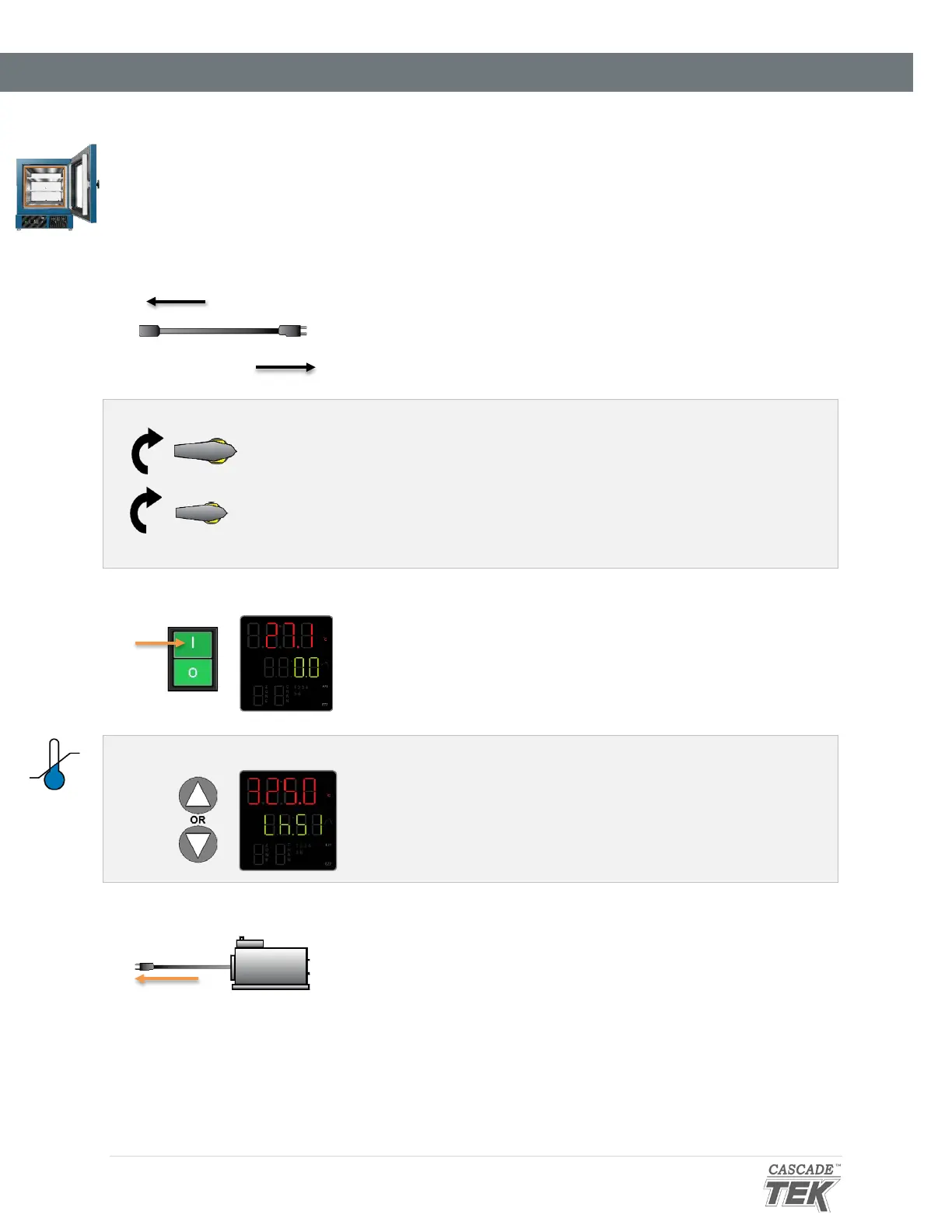
Attach the Power Cord
Attach the power cord that came with the unit to the power inlet
receptacle on the back of the oven.
Plug the power cord into the workspace electrical supply.
3 Verify the Door and Valves are Closed
Verify the oven chamber door is closed and latched, and
that the vent intake valve and vacuum valve are in the
closed position (turned all the way clockwise).
This safeguards your vacuum pump from exposure to
streaming atmosphere.
Place the oven Power Switch in the ON ( I ) position.
• The controller display will illuminate and default to its
homepage.
• The vacuum display will illuminate.
5 Set the High Limit Temperature
Set the Temperature High Limit to at least 10°C above the
highest intended temperature of your application, page 34.
6 Plug in the Vacuum Pump
Plug the vacuum pump power cord into a wall power source.


 To Next Page