●
After Arriving
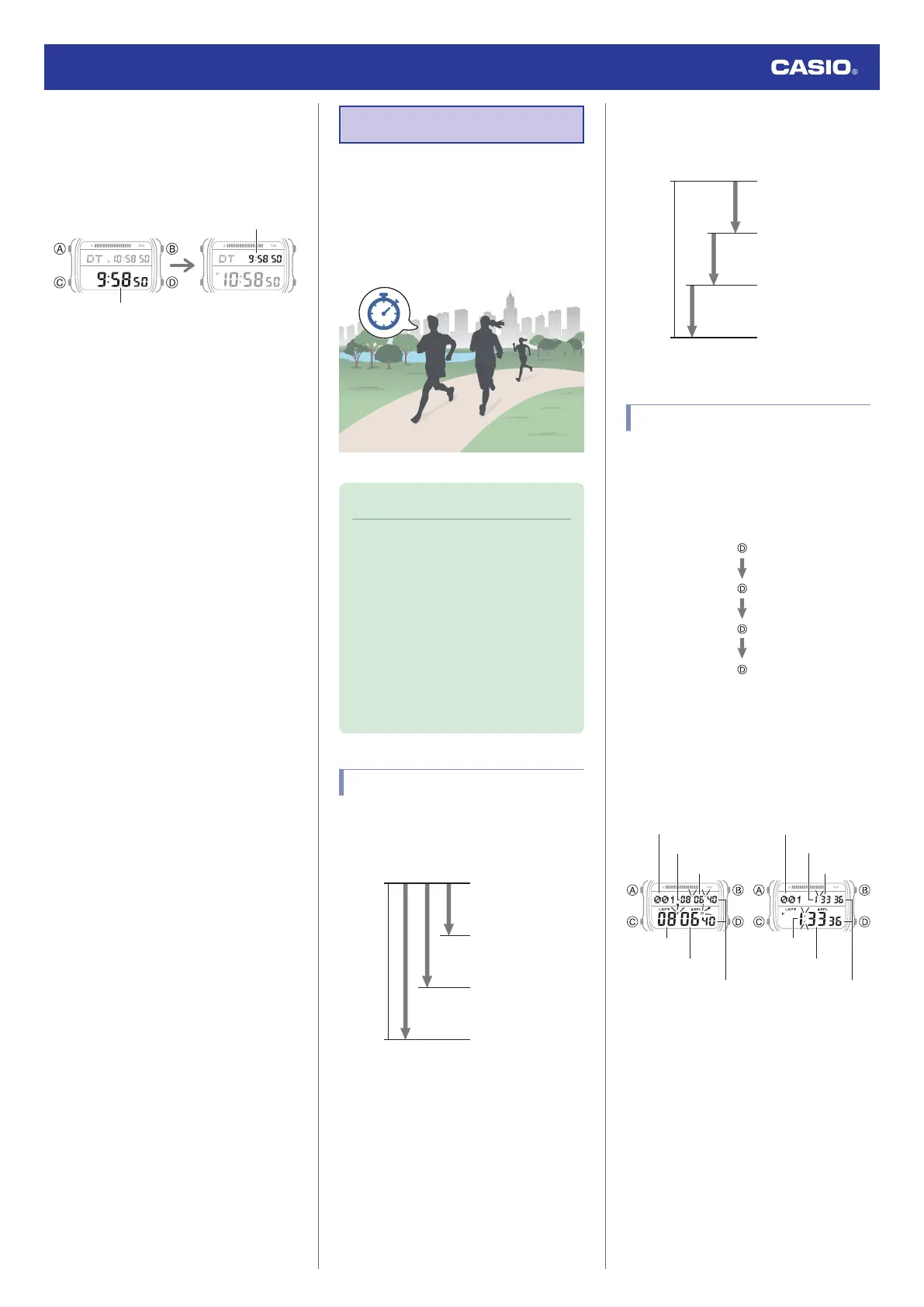
1. Swap the origin time zone time with the
destination time zone time.
Destination time
Destination time
Before swapping After swapping
l
Using CASIO WATCHES to Configure
Settings
l
Using Watch Operations to Configure
Settings
2. Enable auto time correction.
l
Using the Watch in a Medical Facility or
Aircraft
3. Correct the time setting.
l
Triggering Immediate Time Correction
Stopwatch
The stopwatch measures elapsed time in
1/100-second units for the first hour, and in 1-
second units after that for up to 24 hours.
In addition to normal elapsed time
measurements, the stopwatch also lets you
take split time and lap time readings.
Note
●
Up to 200 split time and lap time
records can be stored in watch
memory. Perform a lap or split time
operation while there are already 200
records in memory will cause the
oldest record to be deleted
automatically to make room for the new
one.
●
You can use the Recall Mode to view
the latest measurement data.
l
Viewing Saved Data
Split Times and Lap Times
●
Split time
A split time is the time elapsed from the start,
up to any point along the course of an event.
D
A
A
D
Goal
Split 3
Split 2
Split 1
Start
●
Lap time
A lap time shows the time elapsed during a
specific lap around a track, etc.
D
A
A
D
Goal
Lap 3
Lap 2
Lap 1
Start
Measuring Elapsed Time
1. Enter the Stopwatch Mode.
l
Navigating Between Modes
2. Use the operations below to measure
elapsed time.
●
Elapsed time is shown in 1/100-second
units for the first hour of the
measurement. After the first hour,
elapsed time is shown in one-second
units.
Minutes
Seconds
1/100 seconds
Time Number*
First hour After first hour
Time Number*
Seconds
Minutes
Minutes
Minutes
Seconds
Hours
Hours
* [F] is displayed for the final time
number when an elapsed time
measurement operation is stopped.
3. Press (A) to reset the measurement time
to all zeros.
Watch Operation Guide 3565
19



 To Next Page