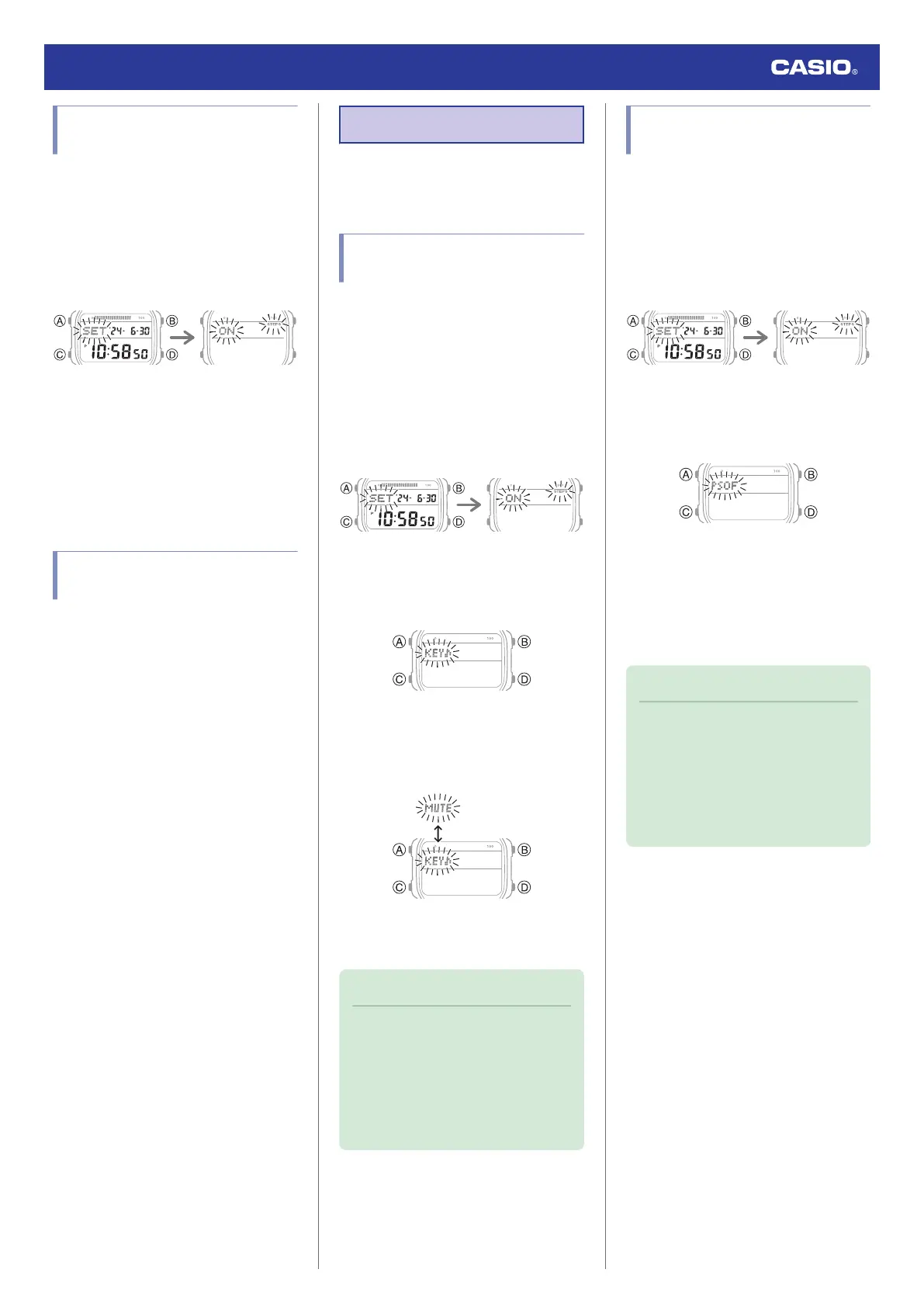
Enabling/Disabling Step
Reminder
1. Enter the Timekeeping Mode.
l
Navigating Between Modes
2. Hold down (A) for at least two seconds.
This causes the current step reminder
setting ([ON] or [OFF]) to flash on the
display.
3. Press (D) to toggle Step Reminder
between enabled and disabled.
[ON]: Enabled
[OFF]: Disabled
4. Press (A) to complete the setting
operation.
Causes of Incorrect Step
Count
Any of the conditions below may make proper
counting impossible.
●
Walking while wearing slippers, sandals, or
other footwear that encourages a shuffling
gait
●
Walking on tile, carpeting, snow, or other
surface that causes a shuffling gait
●
Irregular walking (in a crowded location, in
a line where walking stops and starts at
short intervals, etc.)
●
Extremely slow walking or extremely fast
running
●
Pushing a shopping cart or baby stroller
●
In a location where there is a lot of vibration,
or riding on a bicycle or in a vehicle
●
Frequent movement of the hand or arm
(clapping, fanning movement, etc.)
●
Walking while holding hands, walking with
a cane or stick, or engaging in any other
movement in which your hand and leg
movements are not coordinated with each
other
●
Normal daily non-walking activities
(cleaning, etc.)
●
Wearing the watch on your dominant hand
●
Walking for 18 seconds or less
Other Settings
This section explains other watch settings you
can configure.
Enabling the Button
Operation Tone
Use the procedure below to enable or disable
the tone that sounds when you press a button.
1. Enter the Timekeeping Mode.
l
Navigating Between Modes
2. Hold down (A) for at least two seconds.
This causes the current step reminder
setting ([ON] or [OFF]) to flash on the
display.
3. Press (C) nine times.
This causes [KEY♪] or [MUTE] to flash on
the display.
4. Press (D) to select [KEY♪] or [MUTE].
[KEY♪]: Operation tone enabled.
[MUTE]: Operation tone muted.
5. Press (A) to complete the setting
operation.
Note
●
While the setting is being configured,
the watch will exit the setting operation
automatically after about two or three
minutes of non-operation.
●
Note that alarm and timer tones will still
sound even while the operation tone is
muted.
Configuring Power Saving
Function Settings
1. Enter the Timekeeping Mode.
l
Navigating Between Modes
2. Hold down (A) for at least two seconds.
This causes the current step reminder
setting ([ON] or [OFF]) to flash on the
display.
3. Press (C) 11 times.
This causes [PSOF] or [PSON] to flash on
the display.
4. Press (D) to toggle between on and off.
[PSON]: Power Saving enabled.
[PSOF]: Power Saving disabled.
5. Press (A) to complete the setting
operation.
Note
●
While the setting is being configured,
the watch will exit the setting operation
automatically after about two or three
minutes of non-operation.
●
For details about Power Saving, refer
to the information below.
l
Power Saving
Watch Operation Guide 3565
24



 To Next Page