CDP-120
– 24 –
<Installing the keyboard PCB (M914-KYA1/KYB1/KYC1)>
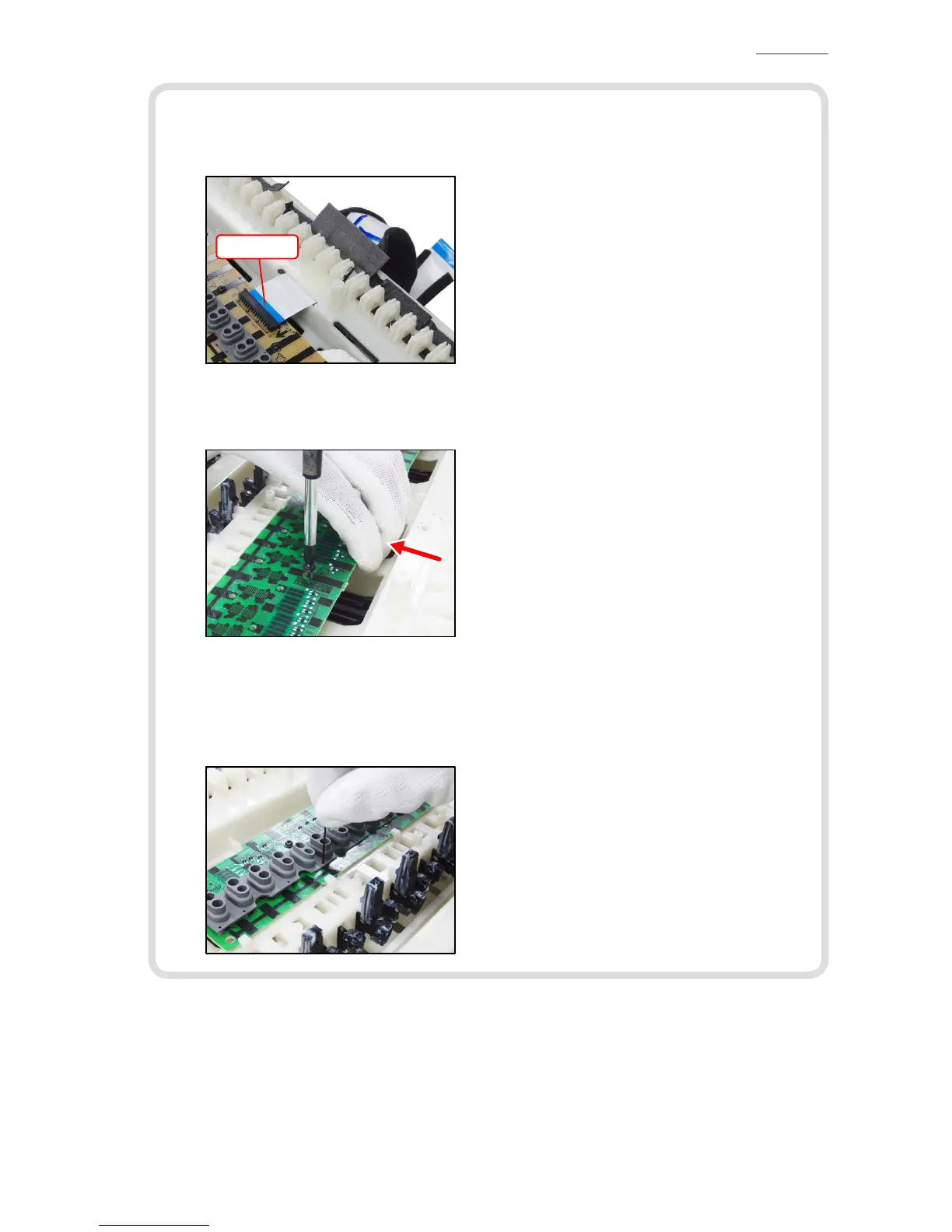
(1) Connect the FFC to the M914-KYB1 PCB and lock the connector.
NOTE: Insert it rmly and lock up.
FFC
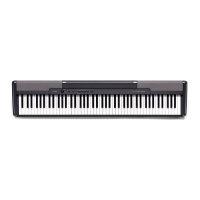
(2) Secure the M914-KYA1/KYB1/KYC1 PCBs with 23 screws.
Press the PCBs lightly in the direction of the red arrow in the illustration below while
tightening a screw.
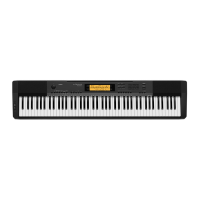
(3) Install eight rubber contact strips.
NOTE: Be sure to install the short rubber contact strip at the correct location.
NOTE: Lightly insert the tip of a rubber contact strip into the PCB rst, and then, press it
in using the end of a paper clip. Do not press the rubber contact strip forcefully to
avoid damaging the rubber contact strip.


 To Next Page