CDP-120
– 25 –
DIAGNOSTIC PROGRAM
PREPARATION
(1) Connect the AC adaptor.
(2) Connect the pedal (SP-3 or SP-20) to the DAMPER PEDAL jack.
NOTE: SP-3 is the pedal unit that comes with CDP-120. SP-20 pedal is sold separately.
NOTE: “PEDAL CHECK” cannot be performed unless the pedal is connected.
(3) Turn the main volume to the maximum.
(4) Have a PC and a USB cable ready.
NOTE: “USB CHECK” cannot be performed without a PC and a USB cable.
Operating System: Windows
®
XP (SP2 or later) *
1
Windows Vista
®
*
2
Windows 7
®
*
3
Mac OS
®
X (10.3.9, 10.4.11, 10.5.8 or later, 10.6.6 or later)
*1: Windows XP Home Edition/Windows XP Professional (32 bit)
*2: Windows Vista (32 bit)
*3: Windows 7 (32 bit, 64 bit)
HOW TO START THE DIAGNOSTIC PROGRAM
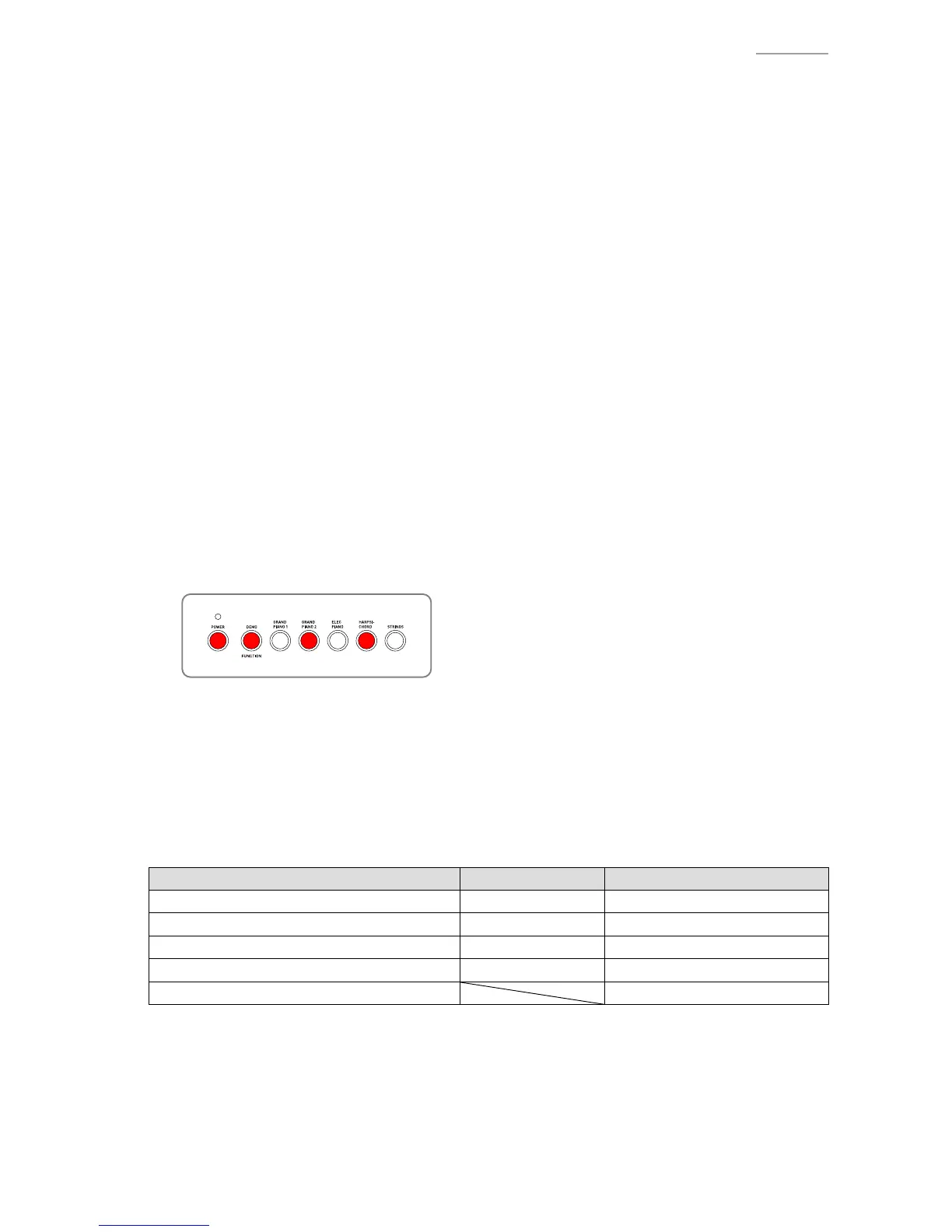
(1) Hold down the “FUNCTION”, “GRAND PIANO 2” and “HARPSICHORD” buttons at the same time,
to turn the power ON.
NOTE: Be sure to turn OFF the power when the test is nished.
(2) Release the “FUNCTION”, “GRAND PIANO 2” and “HARPSICHORD” buttons
(3) The diagnostic program starts and then CDP-120 enters in the root mode where it waits for test item
selection.
TEST ITEMS
In root mode, you can perform arbitrary test by pressing a desired button that corresponds to the test item.
Test Items Buttons Note
A. BUTTON CHECK FUNCTION
B. ROM VERSION CHECK HARPSICHORD
C. ROM CHECKSUM TEST GRAND PIANO 2
D. PEDAL CHECK ELEC PIANO Pedal (SP-3 or SP-20)
E. USB CHECK PC, USB cable


 To Next Page