CDP-120
– 26 –
TEST PROCEDURES
A. BUTTON CHECK
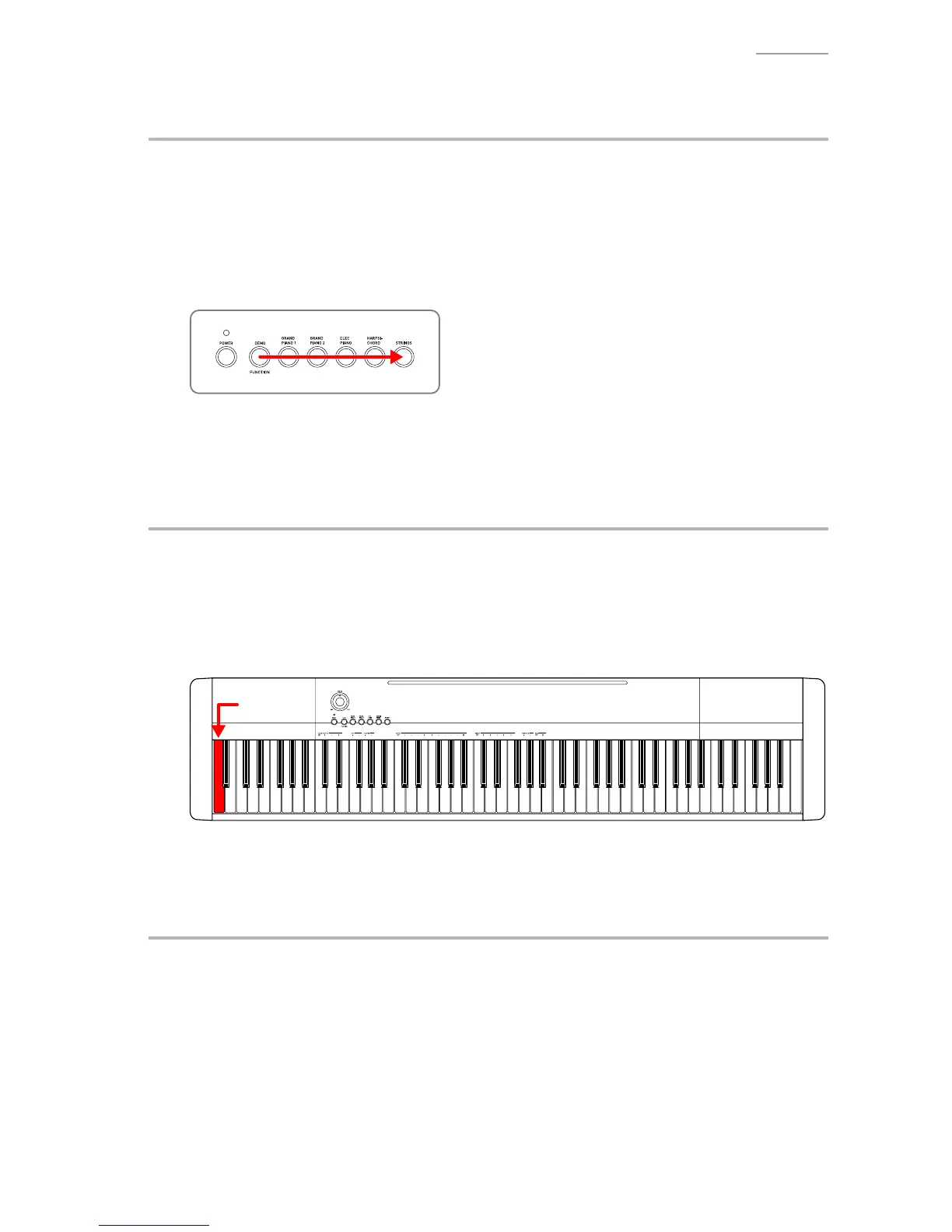
A-1. Press the “FUNCTION” button to perform the “BUTTON CHECK”.
A-2. Press the button in the order indicated in the illustration.
NOTE: You cannot cancel this check procedure mid-way.
<If the result passes>
The conrmation chord sounds.
<If the result fails>
If there is a button failure or the buttons are pressed in a wrong sequence, an error tone sounds.
A-3. When the “STRINGS” button is pressed at the end, press the “STRINGS” button again to return to
the root mode.
B. ROM VERSION CHECK
B-1. Press the “HARPSICHORD” button to perform the “ROM VERSION CHECK”.
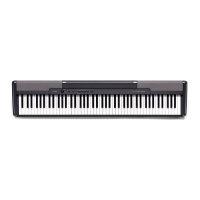
B-2. Press the “A0” key.
<If the result passes>
The conrmation chord sounds.
<If the result fails>
The error tone sounds.
“A0” key
B-3. Press the “STRINGS” button to return to the root mode.
C. ROM CHECKSUM TEST
C-1. Press the “GRAND PIANO 2” button to select the “ROM CHECKSUM TEST”.
C-2. Press the “GRAND PIANO 2” button to perform the check.
<If the result passes>
The conrmation chord sounds.
<If the result fails>
The error tone sounds.
C-3. Press the “STRINGS” button to return to the root mode.


 To Next Page