103
CE-6000 User's Manual
11
11
1
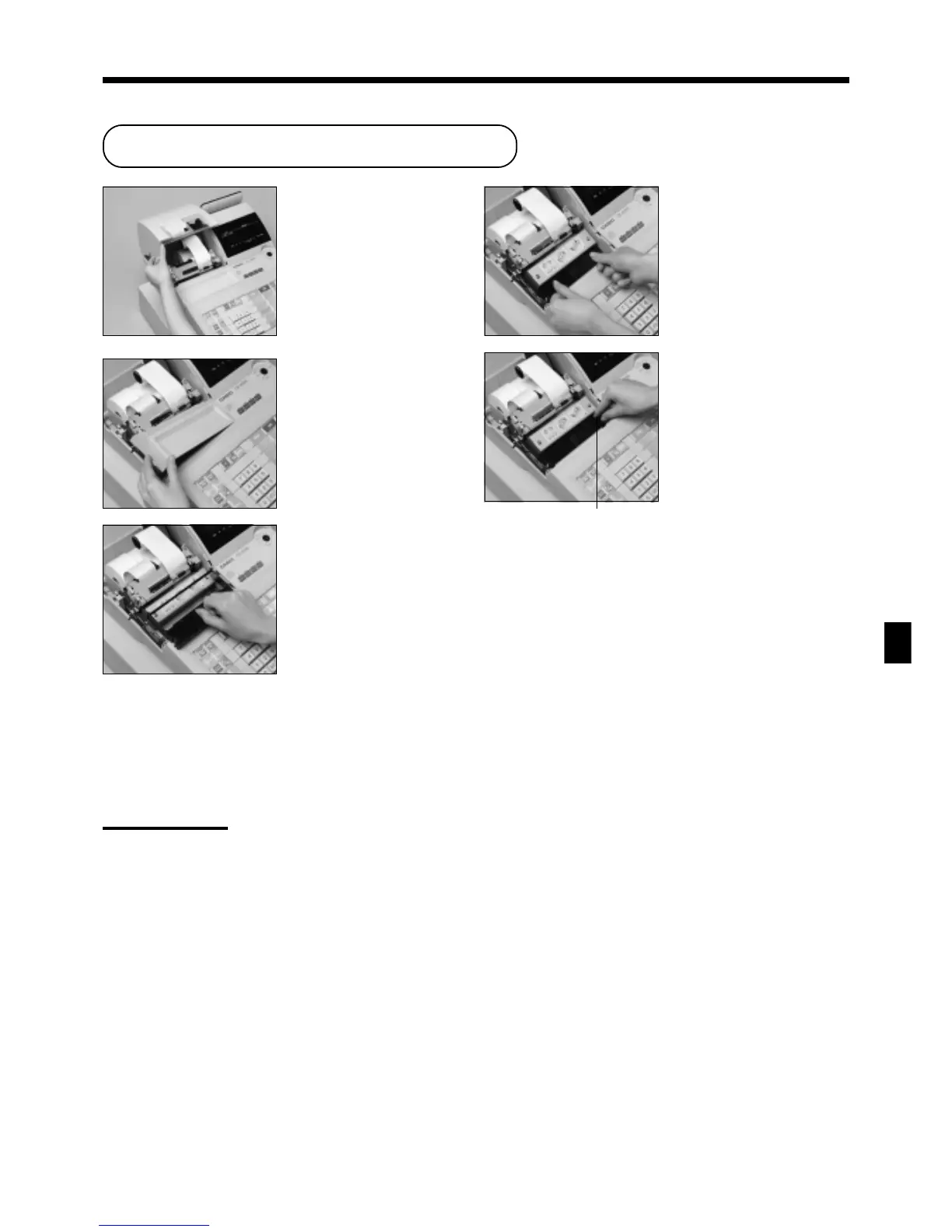
Open the printer cover.
22
22
2
Remove the printer sub
cover.
Troubleshooting/User Maintenance and Options
Knob
To replace the ink ribbon
User Maintenance and Options
33
33
3
Pull up the knob of the
ribbon cassette.
44
44
4
Load a new ink ribbon
cassette into the unit.
55
55
5
Turn the knob on the right
side of the cassette to take
up any slack in the ribbon.
66
66
6
Replace the printer cover and printer sub cover.
Important!
Use only the ERC-32(P) ribbon (purple). Other types of ink ribbons can damage the printer.
Never try to extend the life of an ink ribbon by replenishing the ink.
Once an ink ribbon is in place, press <#/NS> or <NS> to test for correct operation.
www.cashregisters.net



 To Next Page