99
Advanced Operations and Setups
CE-6000 User’s Manual
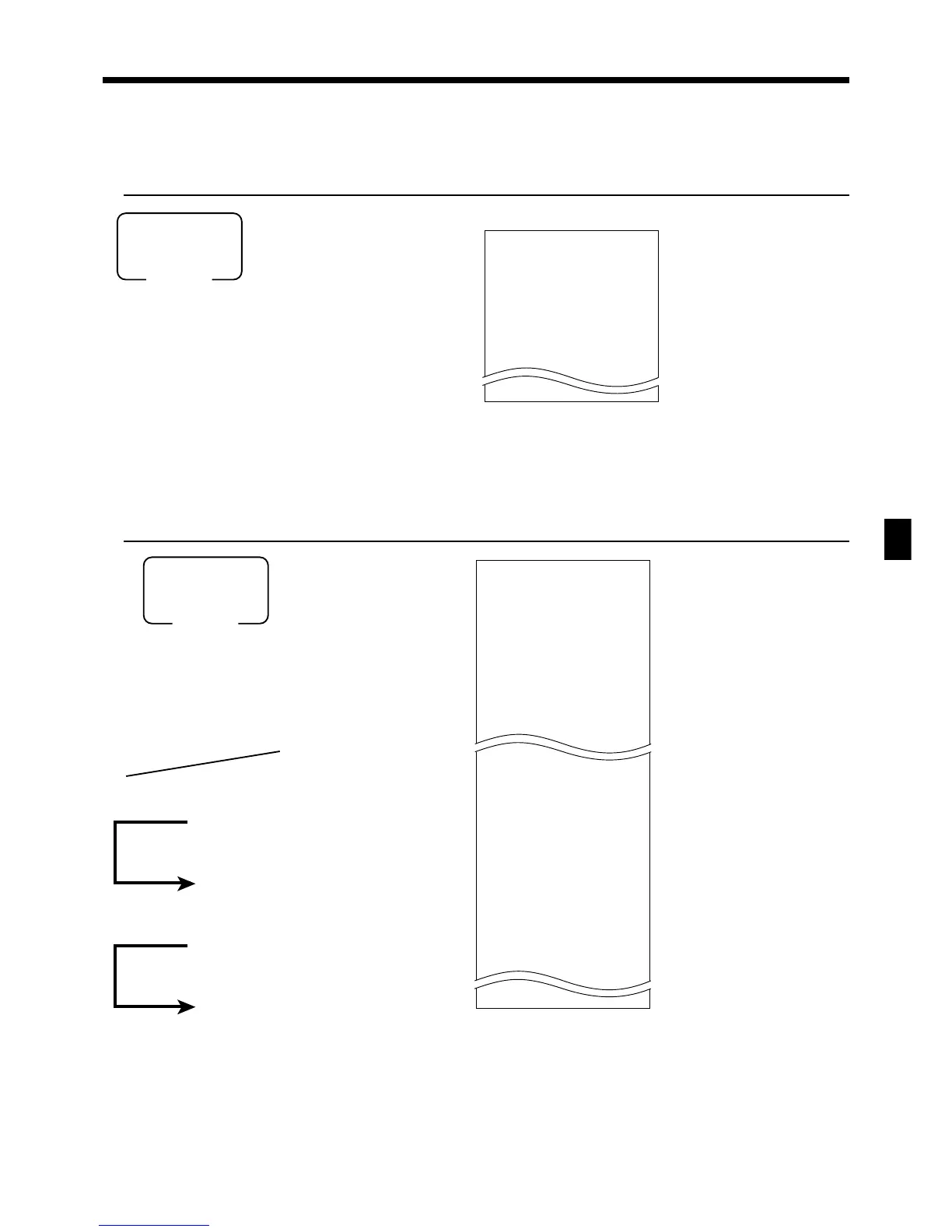
To print the PLU program
OPERATION REPORT
8
6s
8
104s
304s
8
: : : : : :
8
F
8
: : : : : :
8
F
8
F
PLU start No.
PLU end No.
If skipped, starts from PLU1.
If skipped, ends the last PLU.
Mode switch
PGM
(PLU unit price read)
(PLU program read)
8
4s
8
s
Mode switch
PGM
To print the keyboard layout program
OPERATION REPORT
P
04....................
1-----------------------
00 0015-02
011-096
. 0013-02
012-098
CASH 0123-002
— Program read symbol
— Function character/rec-#/file-#
— Hard key code/function code
P
01....................
#0001-#0003
PLU0001 0001-04
#000001
1.2 @1.00
PLU0002 0002-04
#000002
1 @2.00
P
03....................
#0001-#0003
PLU0001 0001-04
00000000000000
11-66 000000
12-66 #000001
13-66 <- 0001-28
15-66 @1234.56
PLU0002 0002-04
00000000000000
11-66 000000
— Program read symbol
— Read range
— Item character/rec-#/file-#
— Random code
— Unit quantity/unit price
— Program read symbol
— Read range
— Item character/rec-#/file-#
— Batch program 01 ~ 1066, 18 ~ 1966
— Batch program 1166
— Batch program 1266
— Batch program 1366
— Batch program 1566
www.cashregisters.net



 To Next Page