12
General Guide
. Control Dial
In addition to using the up, down, left, and right buttons, you can also use the control
dial to perform operations.
• Depending on the function, certain operations cannot be performed using the
control dial.
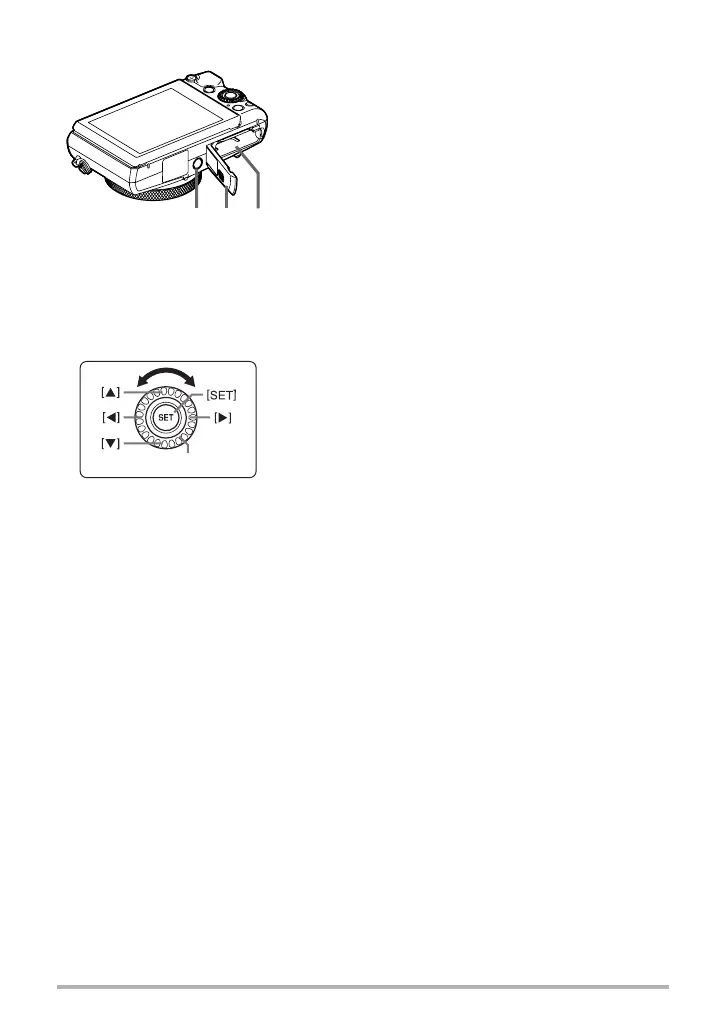
cr cpcq
Bottom
cp
Battery/memory card slots (pages 22, 30)
cq
Battery cover
cr
Tripod hole
Use this hole when attaching to a tripod.
[8] [2] [4] [6] : Press the applicable button (up, down, left, right).
Control dial


 To Next Page