16
Quick Start Basics
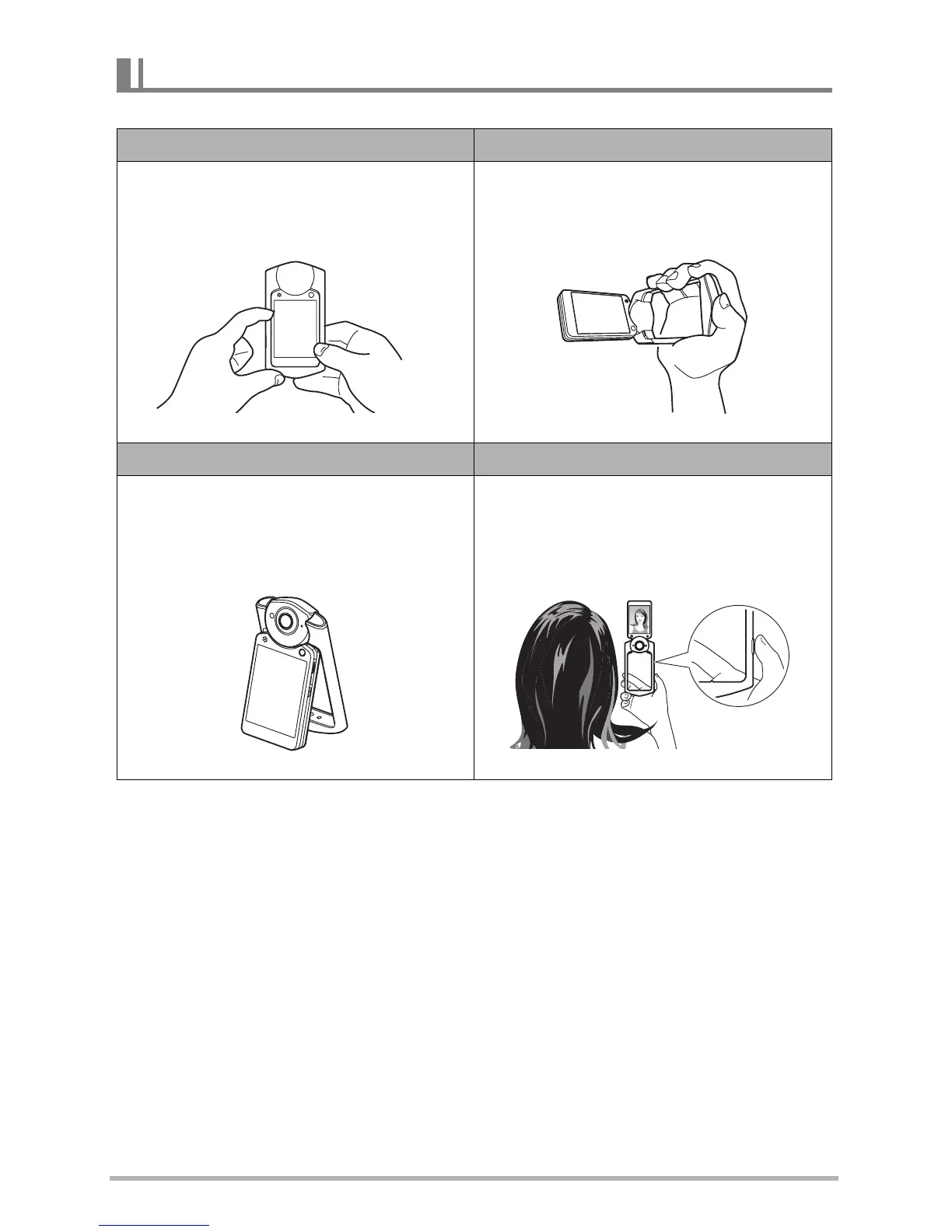
You can open the frame and rotate the monitor screen for a variety of different styles.
Camera Configurations
Normal Shooting Movie Recording
Shoot with the monitor screen facing the
opposite direction of the lens.
Open the frame 90 degrees and hold the
frame. You can also shoot with the
camera upside down, if you like.
Tabletop Shooting Self-portrait Shooting
Point the monitor screen and lens in the
same direction and open the frame
about 30 degrees so the camera can
stand up.
Open the frame, point the monitor
screen and lens in the same direction.



 To Next Page