20
Quick Start Basics
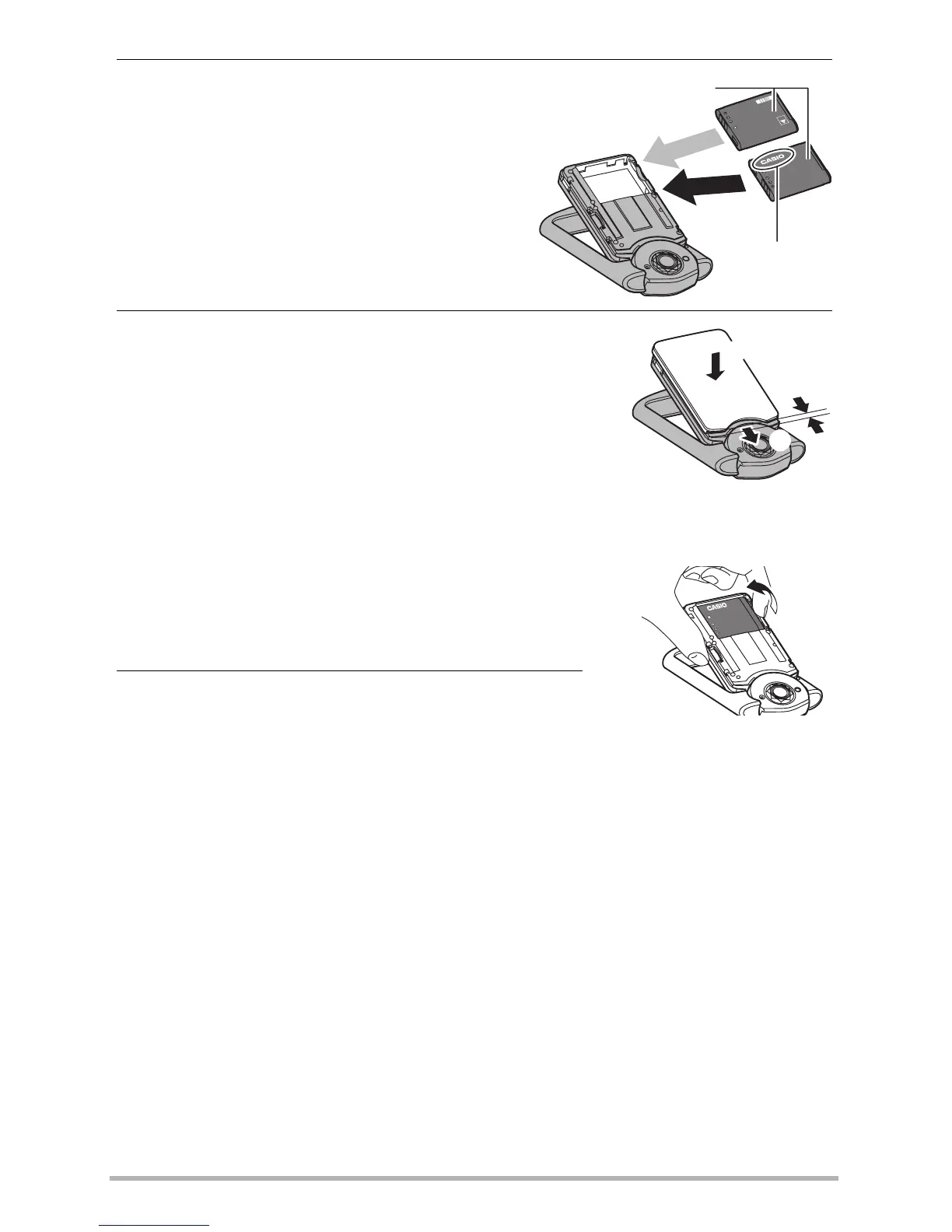
3. Load the battery.
With the CASIO logo on the battery
upwards, load the battery into the
camera as shown in the illustration.
4. Close the cover.
• Positioning the cover about two millimeters from
the lens unit, keep it parallel with the camera as
you slide it in the direction of arrow
1
and then
arrow
2
to secure it in place.
To replace the battery
1. Open the cover and remove the current
battery.
As shown in the illustration, pull up the edge of
the battery to remove it.
2. Load a new battery.
CASIO logo
Battery
OK
NG
2
1
2mm



 To Next Page