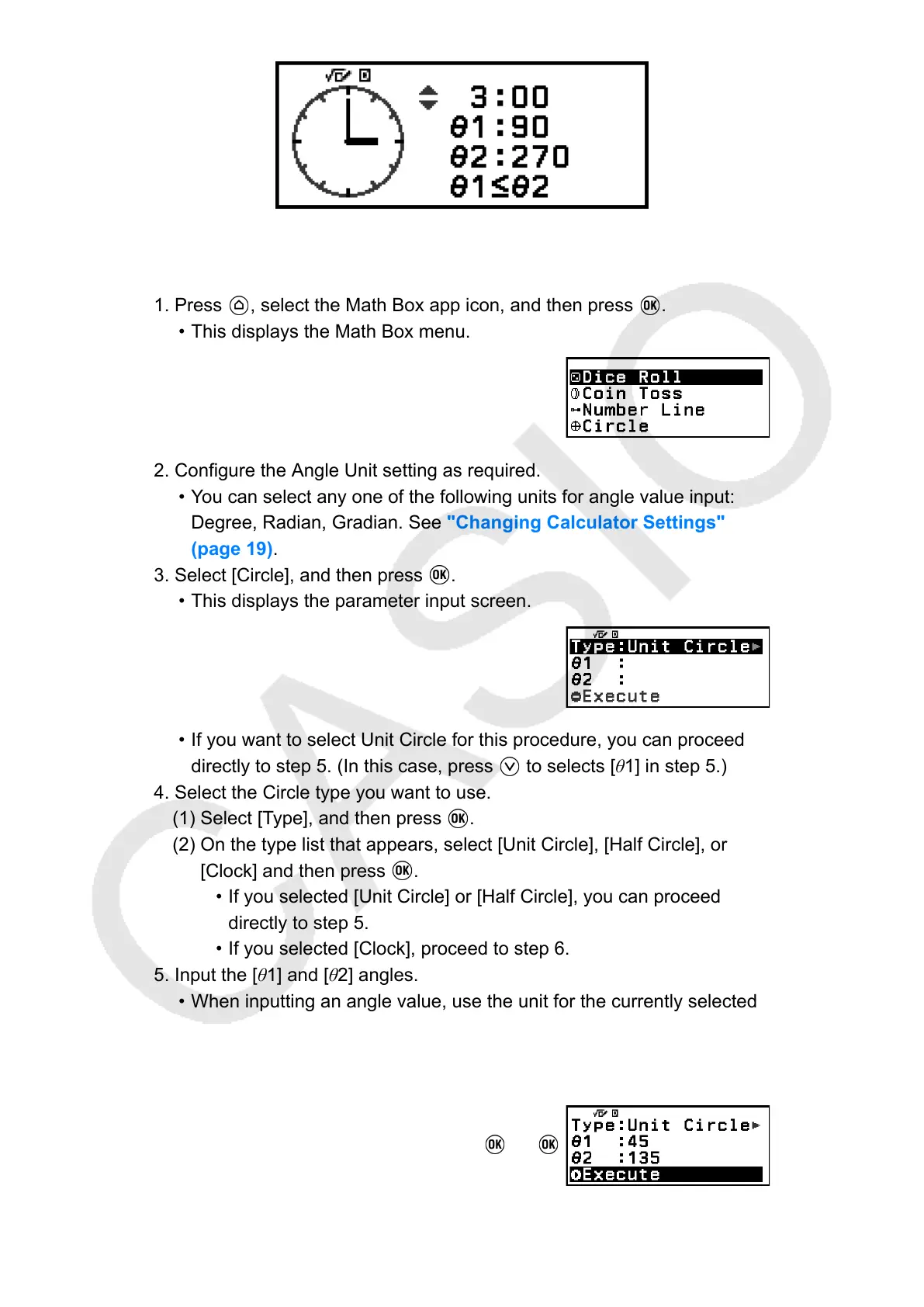
Clock
Circle General Operation Procedure
1. Press , select the Math Box app icon, and then press .
• This displays the Math Box menu.
2. Configure the Angle Unit setting as required.
• You can select any one of the following units for angle value input:
Degree, Radian, Gradian. See "Changing Calculator Settings"
(page 19).
3. Select [Circle], and then press
.
• This displays the parameter input screen.
•
If you want to select Unit Circle for this procedure, you can proceed
directly to step 5. (In this case, press to selects [θ1] in step 5.)
4. Select the Circle type you want to use.
(1) Select [Type], and then press
.
(2) On the type list that appears, select [Unit Circle], [Half Circle], or
[Clock] and then press
.
• If you selected [Unit Circle] or [Half Circle], you can proceed
directly to step 5.
•
If you selected [Clock], proceed to step 6.
5. Input the [θ1] and [θ2] angles.
• When inputting an angle value, use the unit for the currently selected
Angle Unit setting.
•
For example, perform the operation below to input 45° for [θ1] and
135° for [θ2] (Angle Unit: Degree).
45 135
91



 To Next Page