• For the allowable input range for angle values, see the "Note" below.
6. After making sure that [Execute] is selected, press .
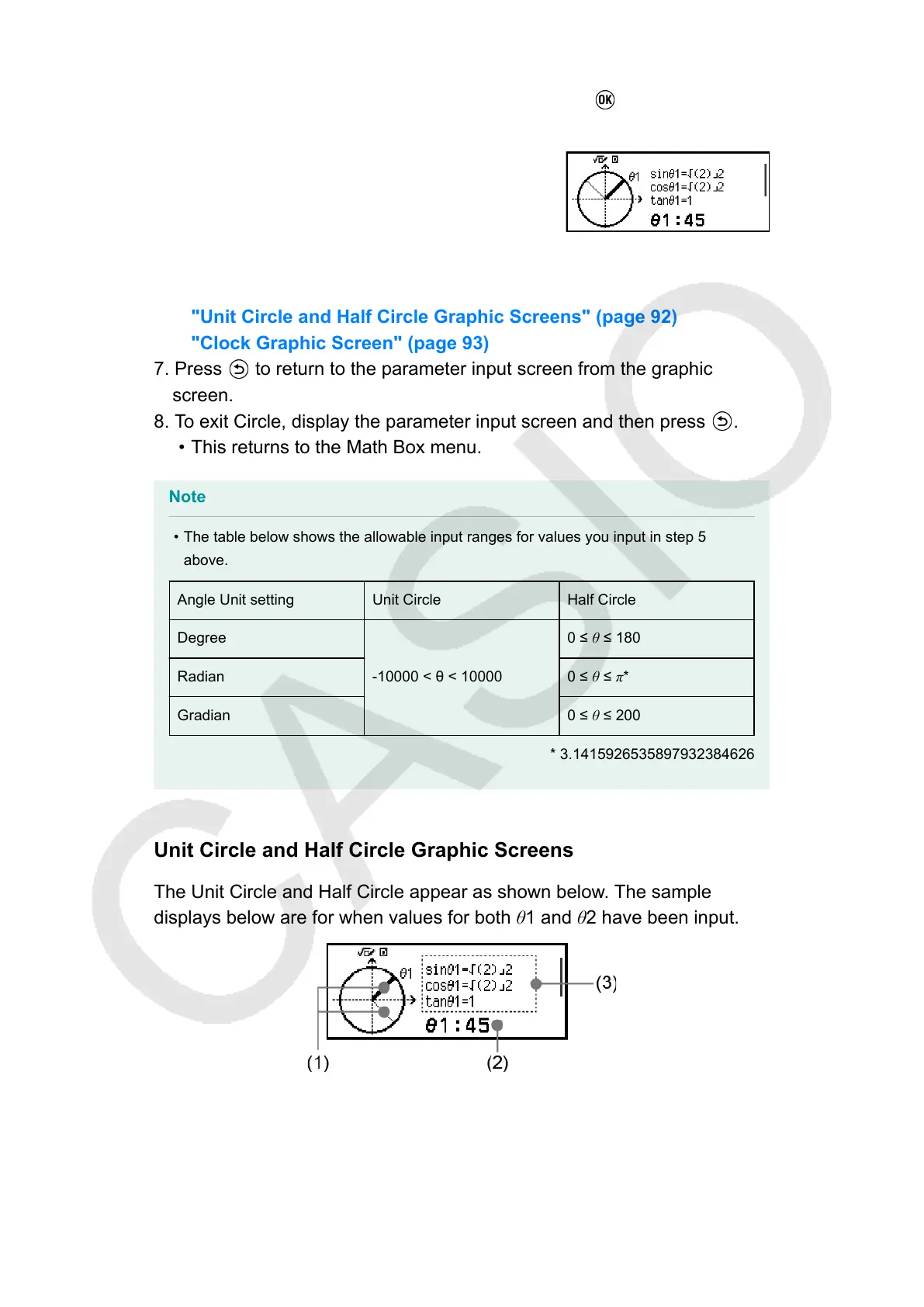
• This displays the graphic screen.
• Refer to the sections below for information about how to view the
graphic screen and perform its operations.
"Unit Circle and Half Circle Graphic Screens" (page 92)
"Clock Graphic Screen" (page 93)
7. Press to return to the parameter input screen from the graphic
screen.
8. To exit Circle, display the parameter input screen and then press
.
• This returns to the Math Box menu.
Note
• The table below shows the allowable input ranges for values you input in step 5
above.
Angle Unit setting Unit Circle Half Circle
Degree
-10000 < θ < 10000
0 ≤ θ ≤ 180
Radian
0 ≤ θ ≤ π*
Gradian
0 ≤ θ ≤ 200
* 3.1415926535897932384626
Unit Circle and Half Circle Graphic Screens
The Unit Circle and Half Circle appear as shown below. The sample
displays below are for when values for both θ1 and θ2 have been input.
Unit Circle
92



 To Next Page