E-49
35 =
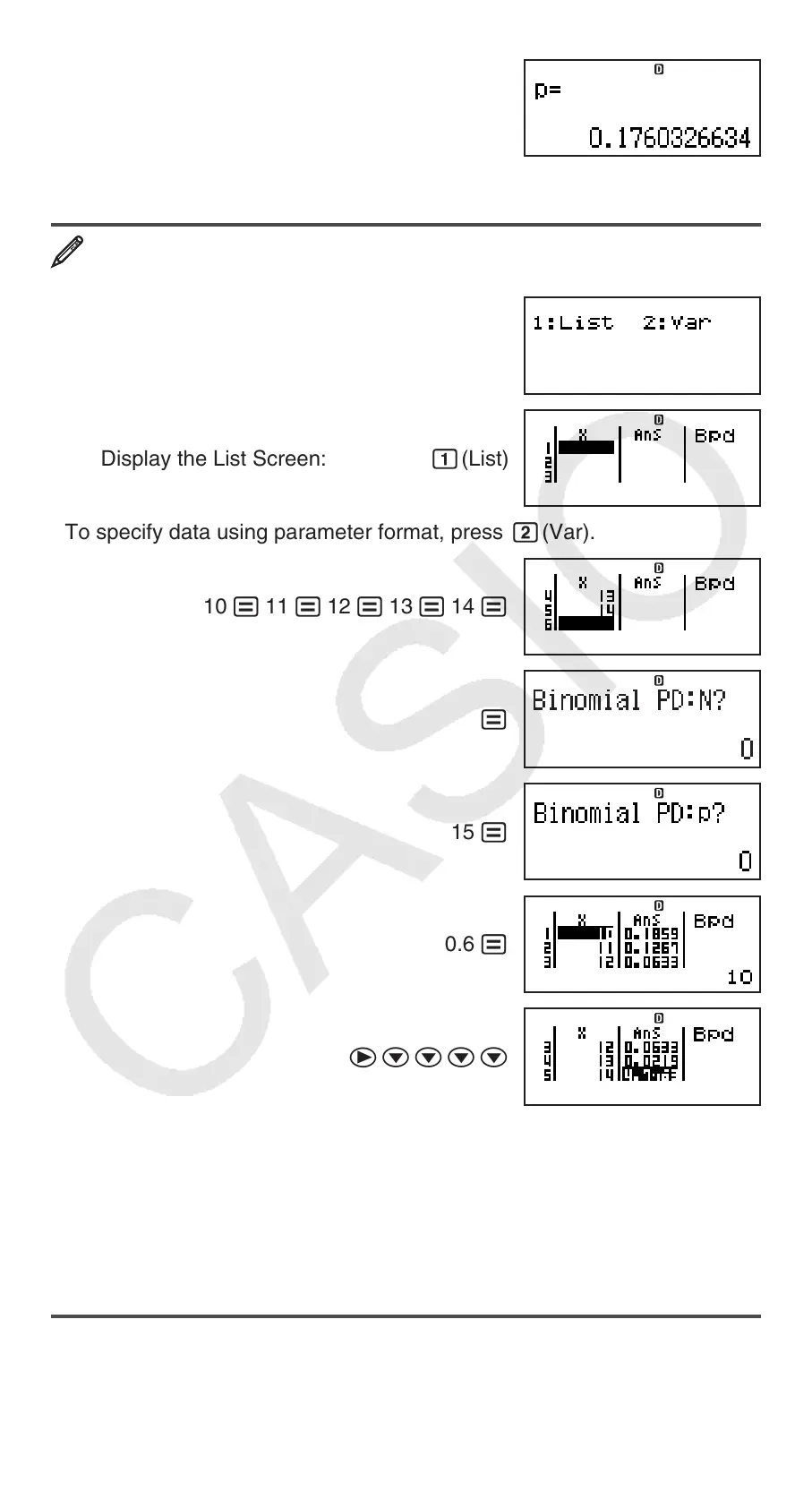
Result: 0.1760326634
• Pressing = or A returns to the
x input screen.
To calculate binomial probability for the sample data {10, 11, 12, 13,
14} when N=15 and p=0.6
Nc3(DIST)4(Binomial PD)
Display the List Screen: 1(List)
• To specify data using parameter format, press 2(Var).
10 = 11 = 12 = 13 = 14 =
=
15 =
0.6 =
ecccc
Results:
x = binomial probability of 10 ⱌ 0.18594
x = binomial probability of 11 ⱌ 0.12678
x = binomial probability of 12 ⱌ 0.063388
x = binomial probability of 13 ⱌ 0.021942
x = binomial probability of 14 ⱌ 4.7018 × 10
−3
• Pressing = returns to the N input screen. Pressing A returns to the List
Screen (input data samples are stored).
Note • The following cannot be used in the distribution calculations:
Pol, Rec, ÷R, ∫,
d/dx. • When data is specified using parameter format,
calculation results are stored in Ans memory. • An error message appears
if the input value is outside the allowable range. “ERROR” will appear in the


 To Next Page