E-50
Ans column of the List Screen when the value input for the corresponding
sample data is outside the allowable range.
Scientific Constants
Your calculator comes with 40 built-in scientific constants that can be used in
any mode besides BASE-N. Each scientific constant is displayed as a unique
symbol (such as π), which can be used inside of calculations.
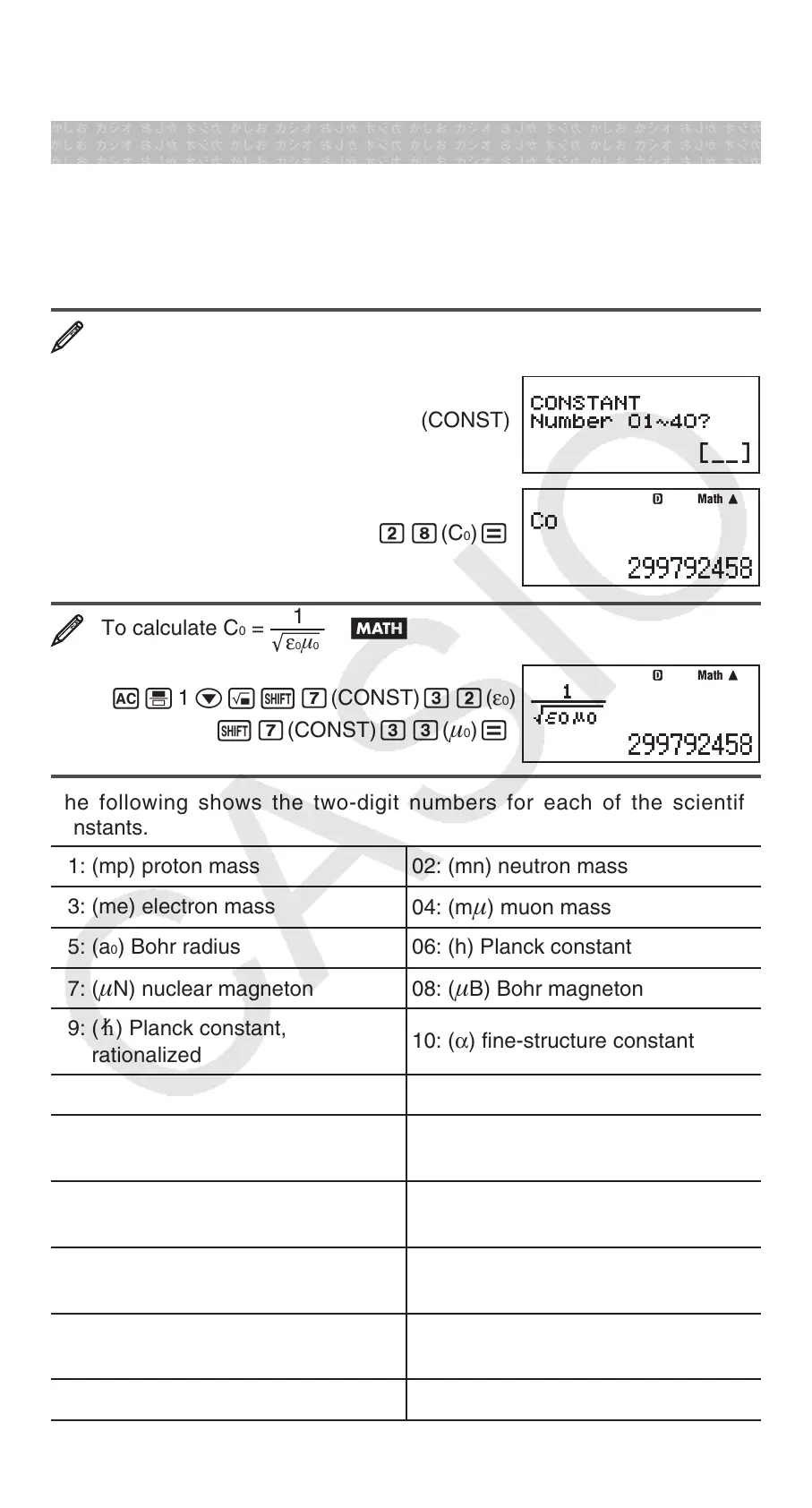
To input a scientific constant into a calculation, press 17(CONST) and
then input the two-digit number that corresponds to the constant you want.
To input the scientific constant C
0
(speed of light in a vacuum), and
display its value
A17(CONST)
28(C
0
)=
To calculate C
0
=
1
ε
0
μ
0
B
A' 1 c!17(CONST)32(ε
0
)
17(CONST)33(
0
)=
The following shows the two-digit numbers for each of the scientific
constants.
01: (mp) proton mass 02: (mn) neutron mass
03: (me) electron mass
04: (m
) muon mass
05: (a
0
) Bohr radius 06: (h) Planck constant
07: (
N) nuclear magneton 08: (B) Bohr magneton
09: (h) Planck constant,
rationalized
10: (α) fine-structure constant
11: (re) classical electron radius
12: (λc) Compton wavelength
13: (γp) proton gyromagnetic ratio
14: (λcp) proton Compton
wavelength
15: (λcn) neutron Compton
wavelength
16: (R∞) Rydberg constant
17: (u) atomic mass constant
18: (
p) proton magnetic
moment
19: (
e) electron magnetic moment
20: (n) neutron magnetic
moment
21: (
) muon magnetic moment
22: (F) Faraday constant
MathMath
MathMath


 To Next Page