E-31
1m
(CL)
Note
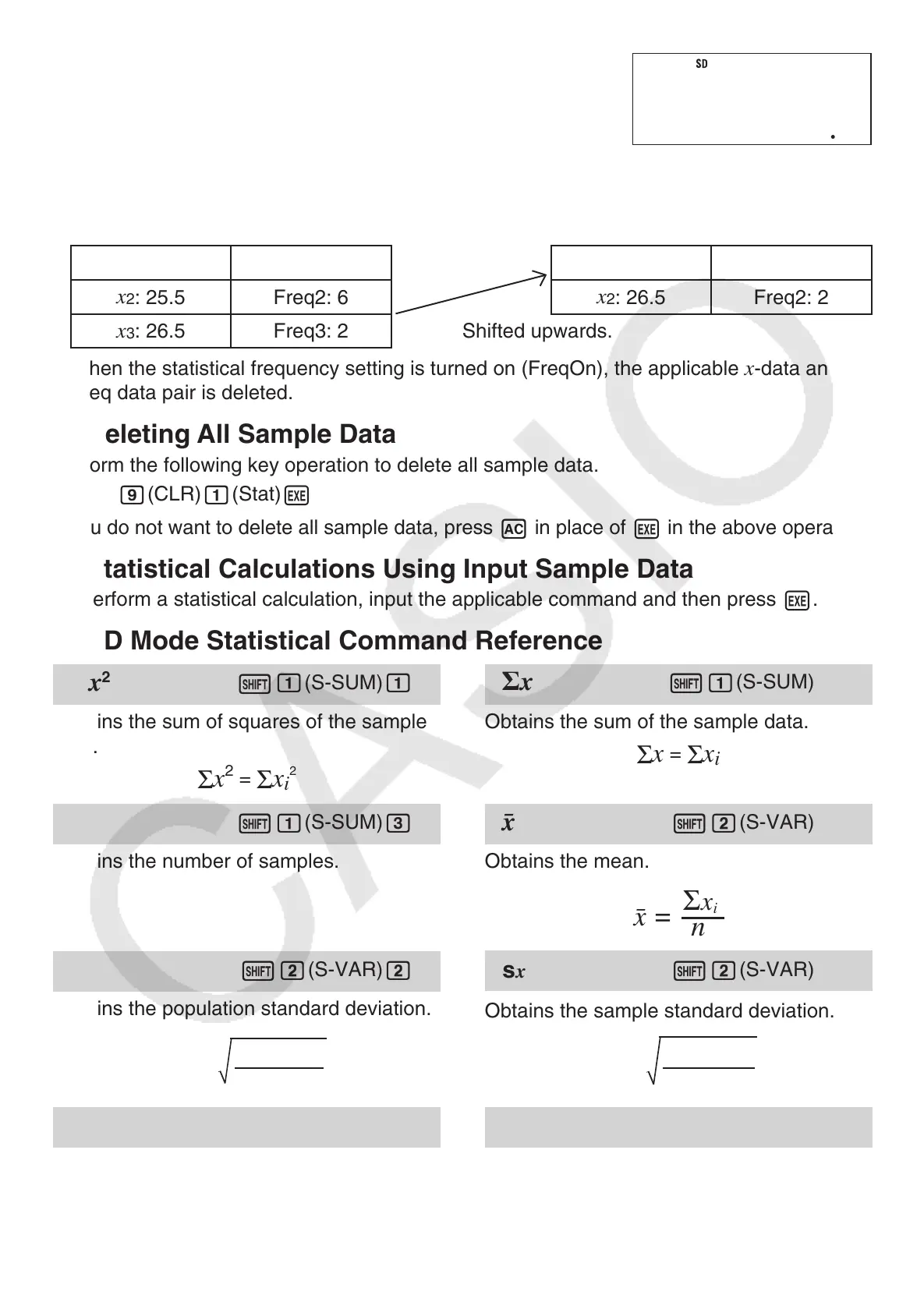
• The following shows images of how the data appears before and after the delete
operation.
Before After
x
1
: 24.5 Freq1: 4
x
1
: 24.5 Freq1: 4
x
2
: 25.5 Freq2: 6
x
2
: 26.5 Freq2: 2
x
3
: 26.5 Freq3: 2 Shifted upwards.
• When the statistical frequency setting is turned on (FreqOn), the applicable
x
-data and
Freq data pair is deleted.
A
Deleting All Sample Data
Perform the following key operation to delete all sample data.
1
9
(CLR)
1
(Stat)
E
If you do not want to delete all sample data, press
A
in place of
E
in the above operation.
A
Statistical Calculations Using Input Sample Data
To perform a statistical calculation, input the applicable command and then press
E
.
A
SD Mode Statistical Command Reference
Line
=
2
x
2
1
1
(S-SUM)
1
Obtains the sum of squares of the sample
data.
Σ
x
2
=
Σ
x
i
2
x
1
1
(S-SUM)
2
Obtains the sum of the sample data.
Σ
x
=
Σ
x
i
n
1
1
(S-SUM)
3
Obtains the number of samples.
¯x
1
2
(S-VAR)
1
Obtains the mean.
o
Σx
i
n
=
σ
x
1
2
(S-VAR)
2
Obtains the population standard deviation.
σx
n
=
Σ(x
i
– o)
2
s
x
1
2
(S-VAR)
3
Obtains the sample standard deviation.
sx
n – 1
=
Σ(x
i
– o)
2
minX
1
2
(S-VAR)
e
1
Determines the minimum value of the
samples.
maxX
1
2
(S-VAR)
e
2
Determines the maximum value of the
samples.



 To Next Page
 Loading...